...
Scope: This procedure provides the context and the steps for transferring items from central-campus collections to the corresponding Rare collections at the Annex. Often called "medium rare" or "R2" transfers, these are low-use, but historically significant resources that are sent to be housed at the Annex, but retain the stricter non-circulating policy (i.e. reading room access only), which grants patrons access only in the reading room.
Contact: Pedro Arroyo
Unit: Database Quality
...
1. Display the Instance record by scanning or entering the barcode of the book from the Item search (this ensures matching item records in the case of multiple copies).
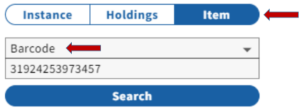 Image Removed
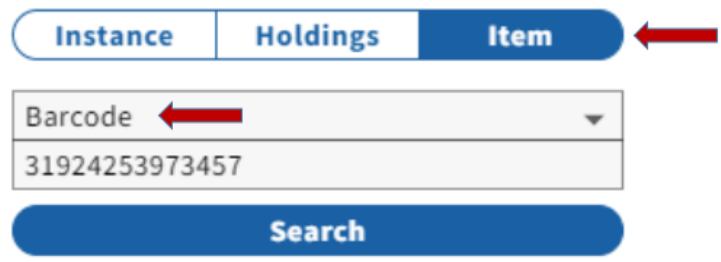 Image Added
Note: If the barcode yields no result, search the catalog by keyword, title, or other search term to find the record.
- If there is a record in FOLIO, and the book in-hand is a duplicate copy (not in FOLIO), follow the guidelines for added copies/locations. If the book needs a barcode, see below.
- If there is a record, but this book had been withdrawn or declared missing, follow the instructions for reinstatements and add a new Item record if necessary.
- If there is a record with a Holdings that clearly matches the copy in-hand, but the book lacks a barcode, refer to the instructions on barcoding for Rare Annex transfers below.
- If there is no Instance record, or if the information is confusing or conflicting, give the book to the DBQ supervisor for cataloging and/or barcoding.
2. Update the MARC record:
...
Examples: 700 1__$a White, Andrew Dickson,$d1832-1918,$e former ownersigner. $5 NIC
710 2__$a American Textile History Museum, $e former owner. $5 NIC
- If provenance includes the phrase "From the Income of a bequest made by__", then no provenance note is added to the bib record.
- Add an Administrative Note to the Instance record, showing a post-cataloging maintenance transaction. (The NOTE: the LTS macro for this is ,,mc. Consult with the DBQ supervisor if you do not have this macro).
...
- If volumes are charged, follow the instructions for charged checked-out volumes below
- If you do not have all available itemsvolumes, check the stacks for missing volumesothers.
- If you cannot locate items in the stacks (and they are NOT chargednot checked-out), follow the procedures for missing volumes below (whether or not they have the Item Status "missing").
- Add a Holdings administrative note with the transaction code for transfers, including the number of pieces being transferred (pcs:), and the originating location code (orig:) that it's being transferred from.
Example: date:20231225 ttype:t userid:pca1 ploc:lts pcs:3 orig:olin
3. Holdings Notes: follow the instructions for noting provenance, binding, and/or donor information as described above, but provide volume-specific information as available, and combine the respective Holdings notes as necessary, for example:
...

