...
Contact: Technical Services liaison: , Jude T. Corina
Unit: ATS/RMC
Date last updated: March 2025
Date of next review: March 2026
...
Roles:
- Head Conservator: Michele Hamill
- Technical Services liaison: Jude T. Corina
Contents:
General
- Please make sure your Aeon barcodes are installed. If they are not, instructions on how to install them can be found in X drive > Aeon > barcode fonts.
- Place all items with their pink/purple slips on the yellow cart labeled conservation in B79
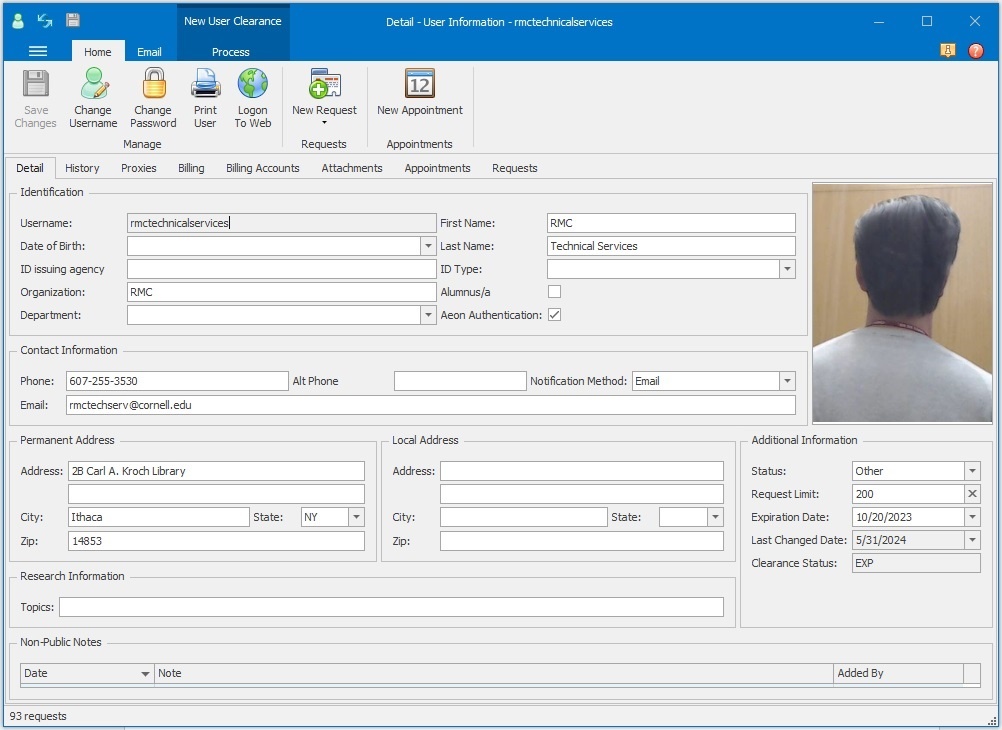
- Requests need to be made manually in Aeon under the RMC Technical Services patron:
Requests for items with Library of Congress numbers
- Includes books, bound manuscripts and mapcase folders
- In Aeon, open up the RMC Technical Services patron (shown above)
- Click the New Request button at the top:
...
- If the item is located in the vault, tear the pink slip in half and place the Item in use side on the shelf and keep the other side with the item
- If the item is located at the annex, you can keep both sides of the slip together with the item
- After the request is printed, in Aeon scan it as on hold (Aeon will automatically route it to "Item on hold for activity")
Requests for archival material
- Includes boxes, single folders, museum items, and mapcase folders
- In Aeon, open up the RMC Technical Services patron
- Click the New Request button at the top:
...

