*** This version of Confluence is for testing only and contains a copy of content from June 29th 2026. No changes will be preserved. ***
Skip to main content
Log in
Linked Applications
Loading...
Dev Confluence Dashboard
Dev Confluence Dashboard
Spaces
Hit enter to search
Help
Online Help
Keyboard Shortcuts
Feed Builder
What’s new
About Confluence
Log in
CUL FOLIO
Edit space details
Page tree
Browse pages
Configure
Space tools
Pages
…
Cornell Library FOLIO
Security and Roles (Sunflower +)
Authorization Roles
5) Role - Deleting
View Page
Page History
Page Information
View in Hierarchy
View Source
Page History
Versions Compared
Old Version
2
changes.mady.by.user
Thomas I. Trutt
Saved on
Mar 03, 2025
compared with
New Version
3
changes.mady.by.user
Thomas I. Trutt
Saved on
Mar 03, 2025
Previous Change: Difference between versions 1 and 2
Next Change: Difference between versions 3 and 4
View Page History
Key
This line was added.
This line was removed.
Formatting was changed.
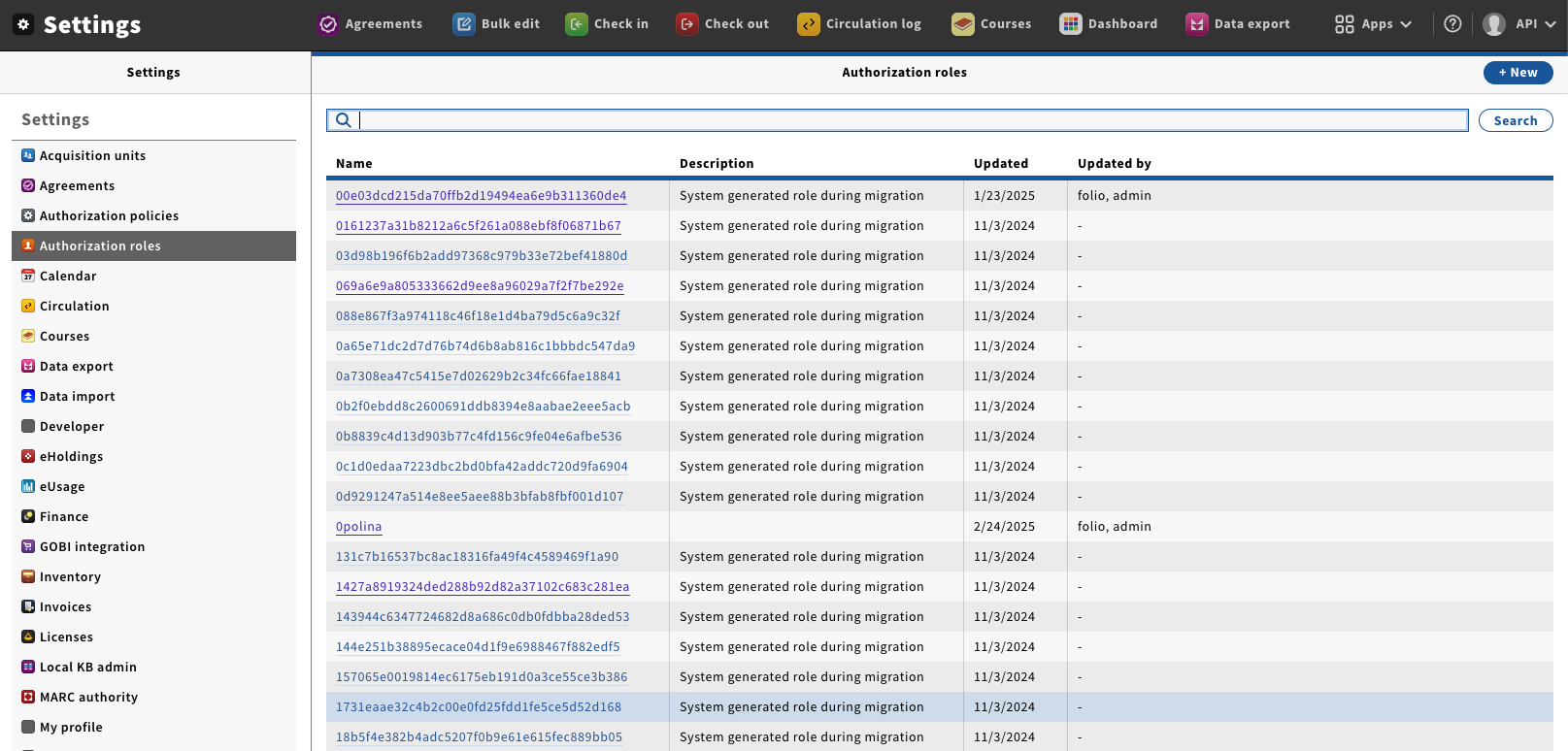
Go to “Settings” → “Authorization roles”, this will pen the Role management window.
Image Added
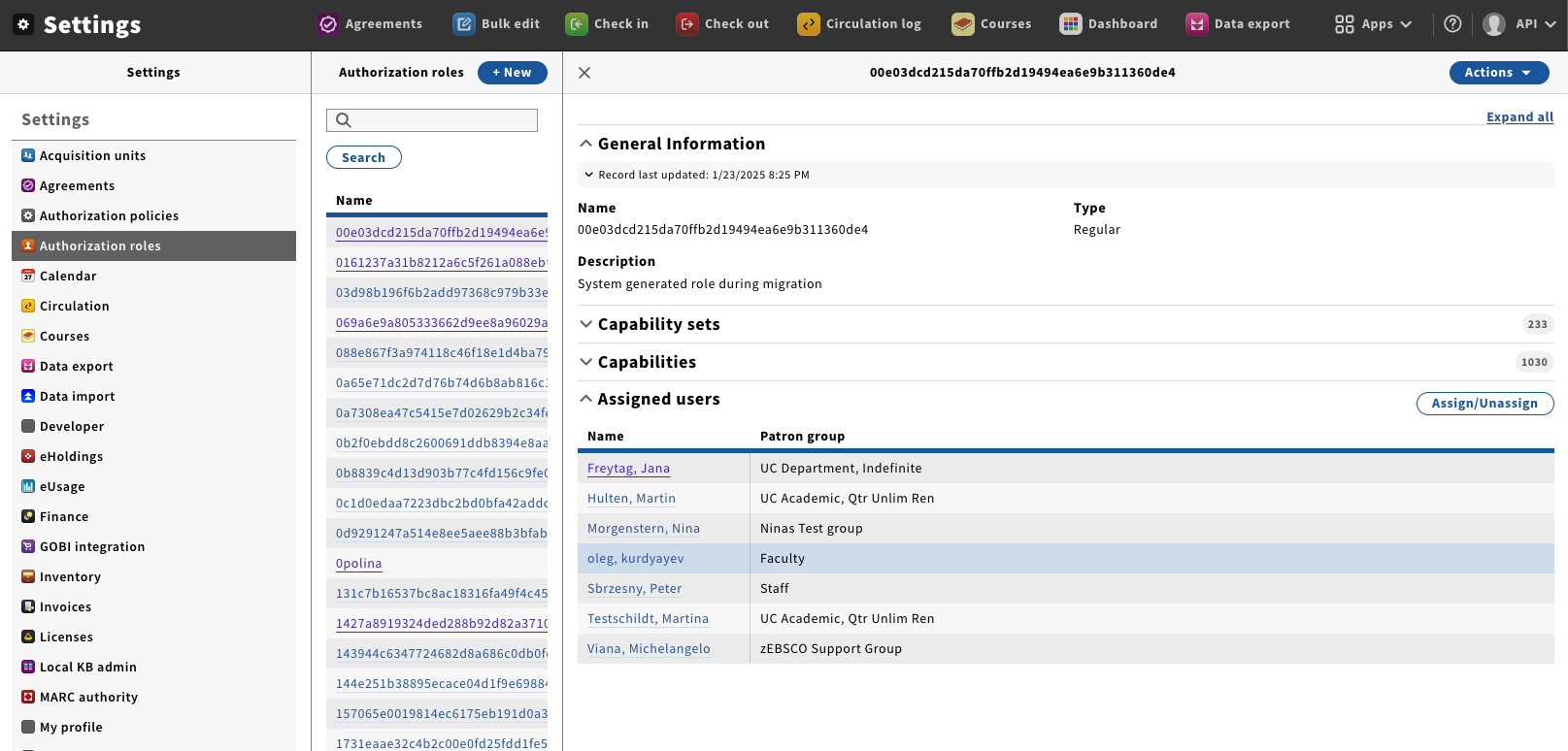
Click on the name of Role you wish to edit; this will open the detail's pane.
The different sections shown on this panel are:
Capability Sets—The currently assigned Capability sets
Capabilities—The currently assigned Capabilities.
Assigned users—The users who currently have this Role assigned to them. You can also add and remove this role to Users from this section.
Image Added
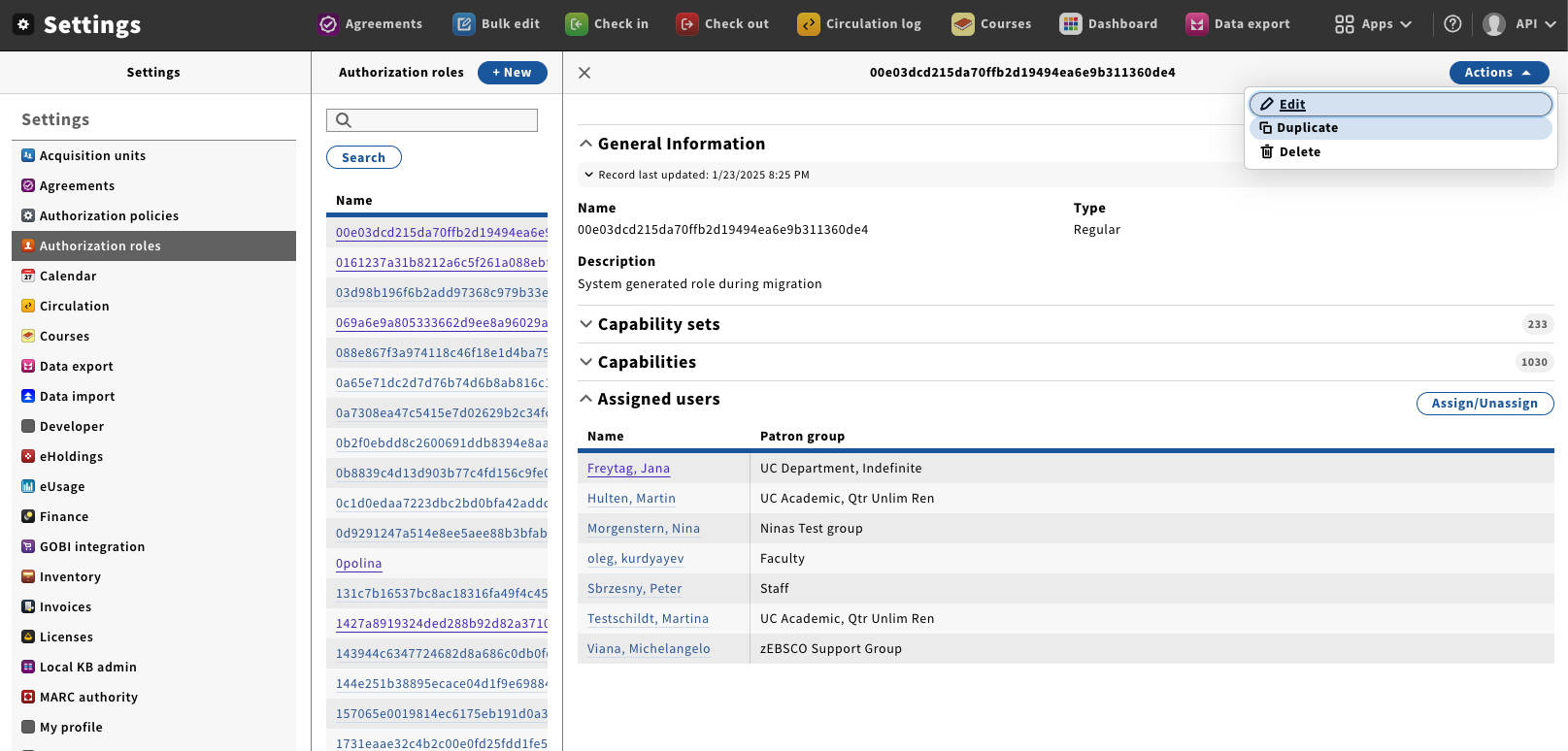
From the Action menu select “Delete”.
Image Added
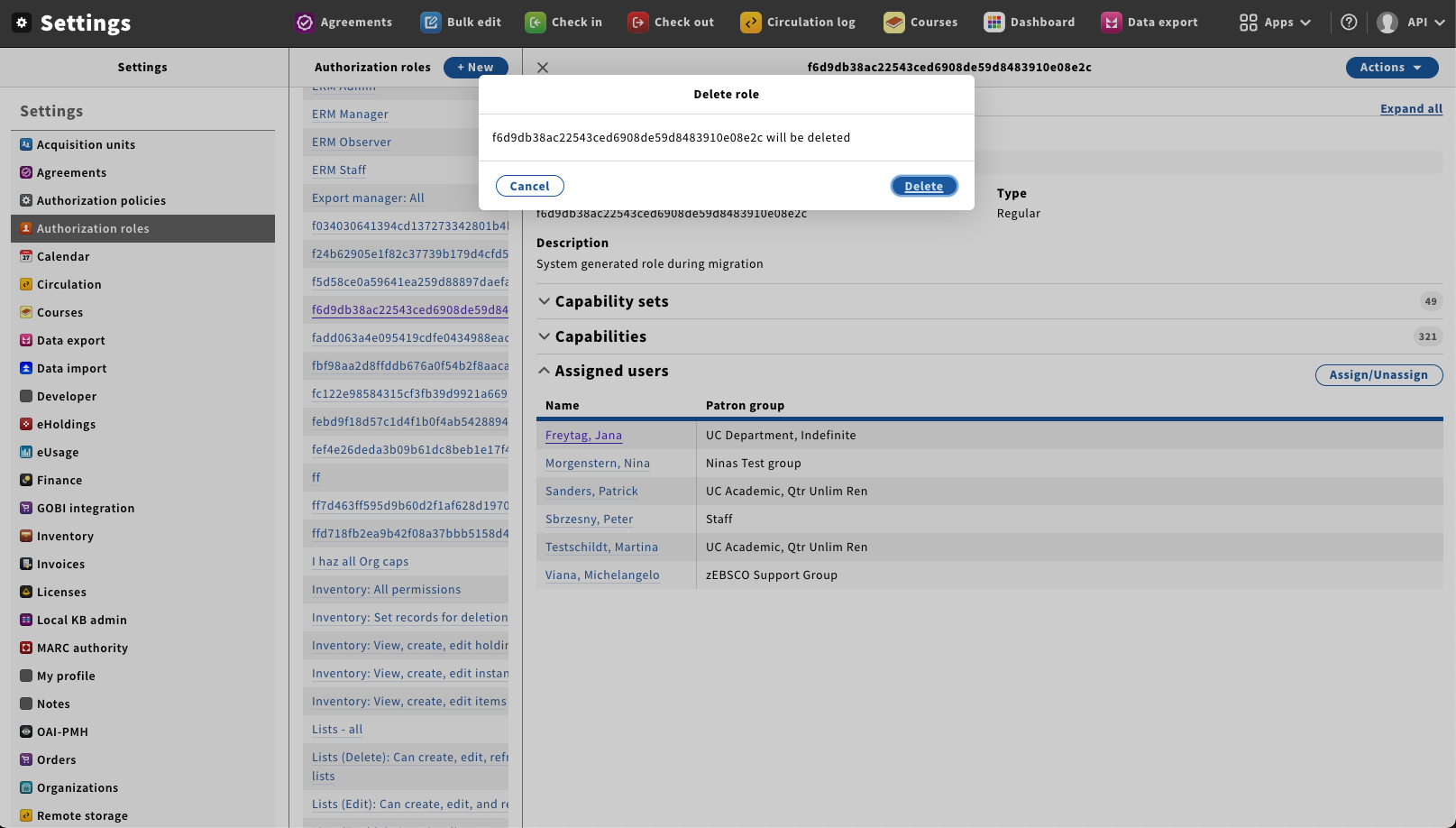
A delete confirmation box will appear asking if you are sure that you would like to delete the current role.
Status
colour
Red
title
warning
Once you click on “Delete” the role will be removed from the system and can not be recovered.
Image Added
Overview
Content Tools
{"serverDuration": 89, "requestCorrelationId": "e684ee4d60cde751"}