*** This version of Confluence is for testing only and contains a copy of content from June 29th 2026. No changes will be preserved. ***

...
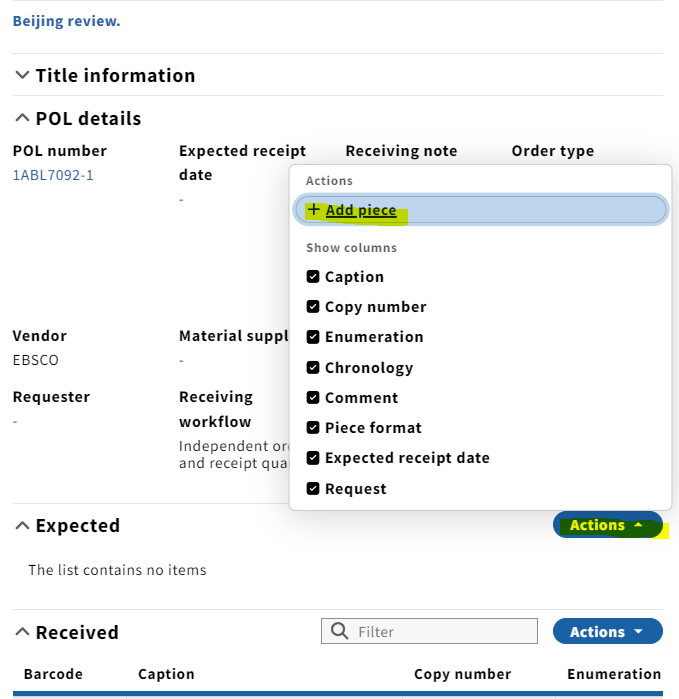
1. Click Actions followed by Add piece in the Expected field of the third panel.
2. The Edit Add piece box will pop up. Enter the enumeration/chronology of the issue you are receiving . Click in the Display summary field. 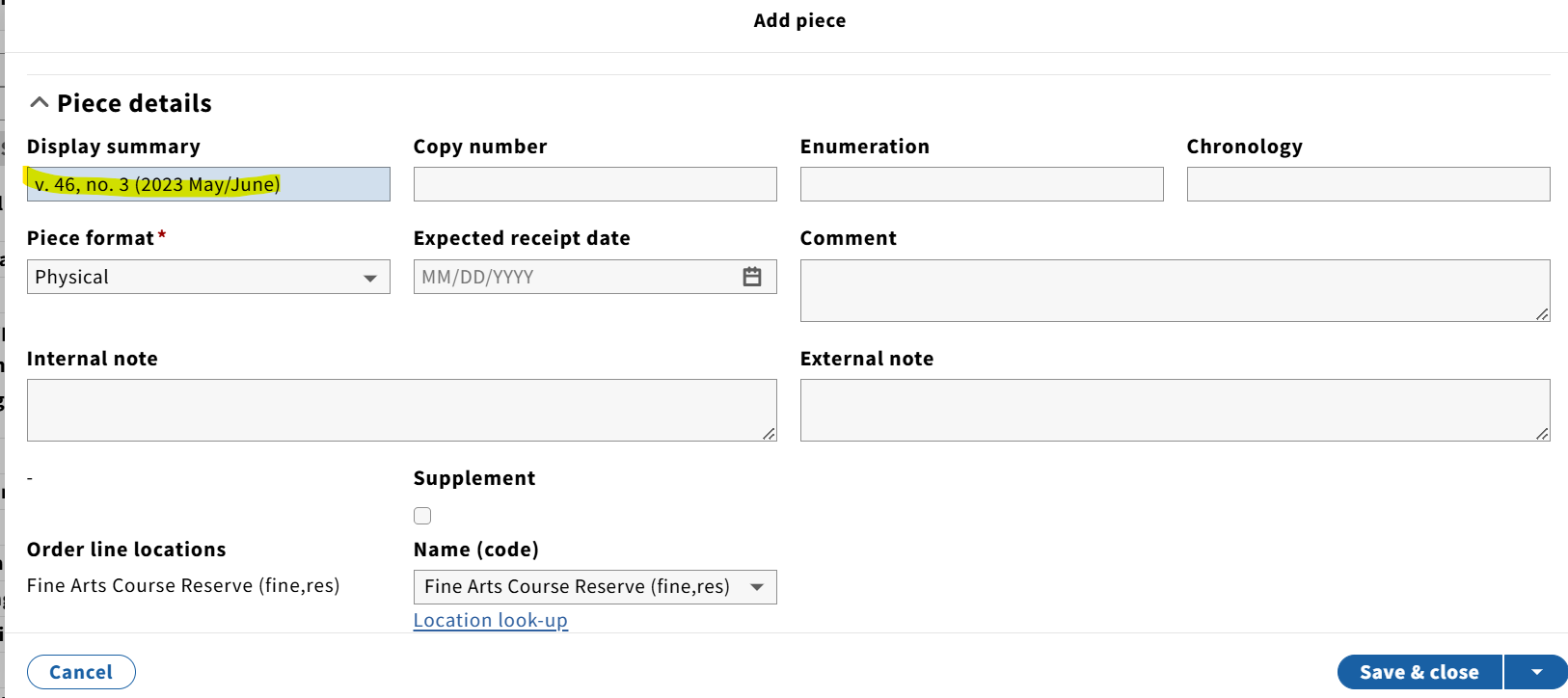
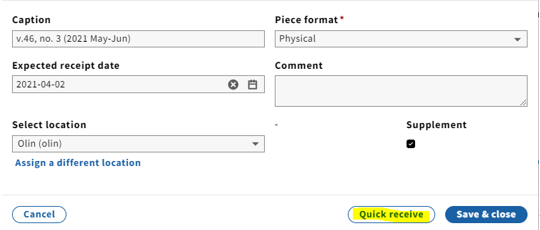
The issue will then appear in the Received field:
...
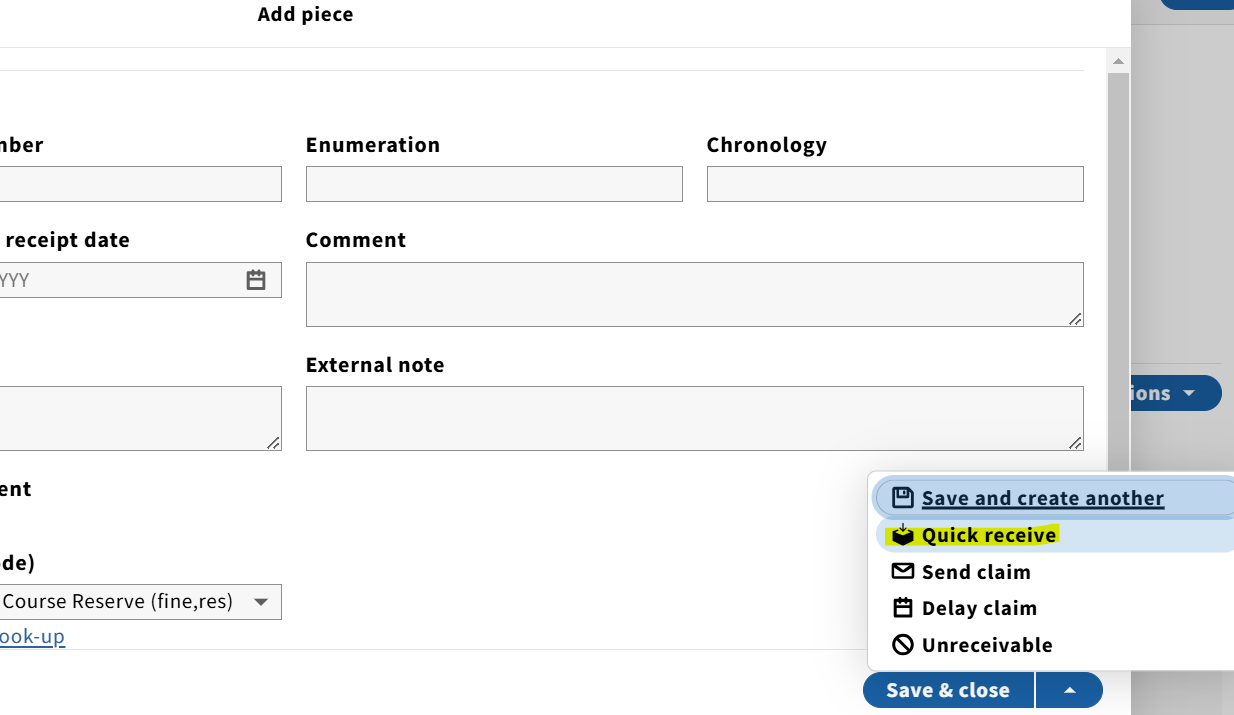
NOTE: An alternative to entering the enumeration/chronology manually would be to click on a previously received issue (in the Received field field), copy the Caption the Display summary information, and click click Cancel. Then under under Expected, click Actions, Add piece, paste into the Caption the Display summary field, edit as needed and click click Quick receive.
...
1. As of February 20242025, there is no direct connection between the the Receiving and Inventory apps. In order for issues to be publicly displayed in Blacklight and discoverable by patrons, they must also be added to the Receiving history in the holdings record through the Inventory app.
...
7. As more issues are added to the Receiving history throughout the year, multiple issues should be consolidated onto as few lines as possible in the Receiving history in the Inventory app. As of May 2024, this This is best practice for accessibility using the public catalog.
...
