...
You received an error message when uploading records a file into FOLIO via Data Import.
...
| View file |
|---|
| name | Data import - FOLIO - Google Chrome 2024-07-18 12-06-49 - Converted_Other.mp4 |
|---|
| page | Draft: Data Import troubleshooting |
|---|
| space | LTSP |
|---|
| height | 400 |
|---|
|
(click on video to see screen recording)
- Click on the uploaded file. You should see a summary at the top of the screen. Next, click on the hyperlinked number in the ‘Error’ row.
 Image Removed
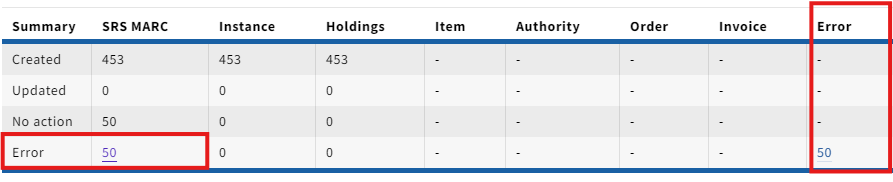 Image Added
- Clicking on the number will display the list of records affected by the error.
Image Removed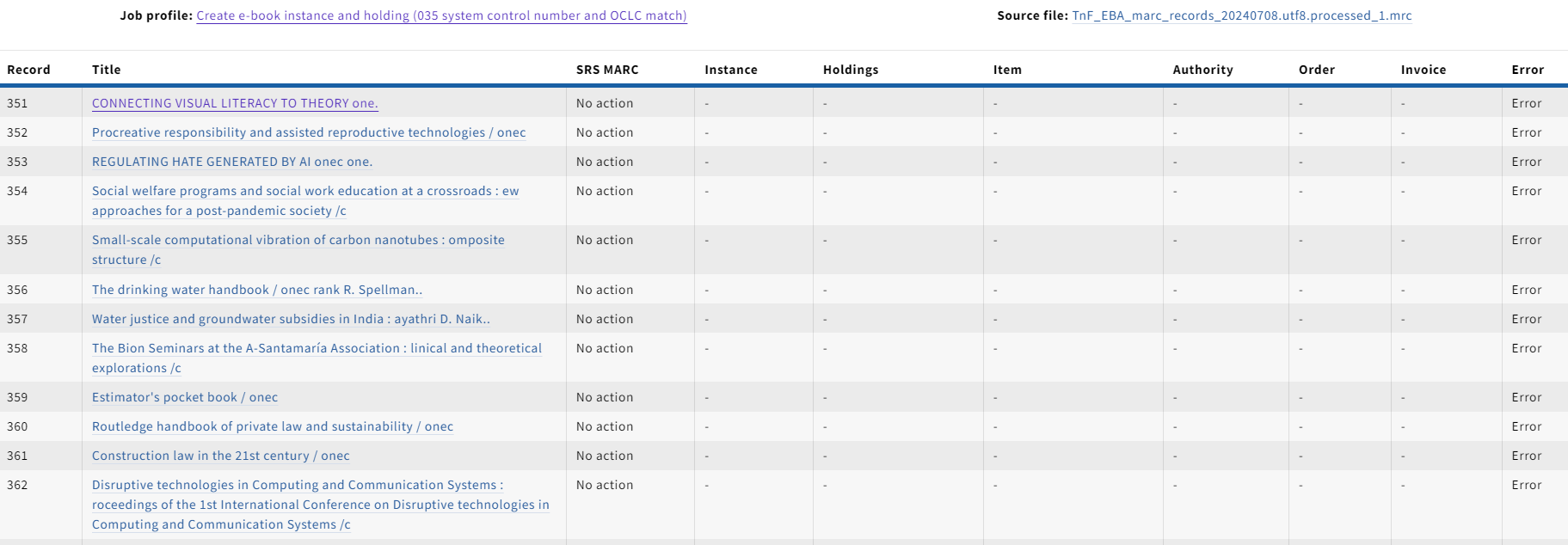 Image Added
- Click on one of the records listed. Then click on the resource type you attempted to upload at the top of the screen. This should show you the error message in JSON format.
Image Removed Image Added
- The error message should provide you with a place to start on identifying the cause of the error.
...
- Your first step should always be to check the logs in FOLIO.
- The errors in FOLIO are written in JSON, but usually have an error message that is clear and easy to understand.
- MARCEdit has a tool called MARCValidator that is very useful for identifying issues with MARC records.
- In MARCEdit click on Reports…
Image Removed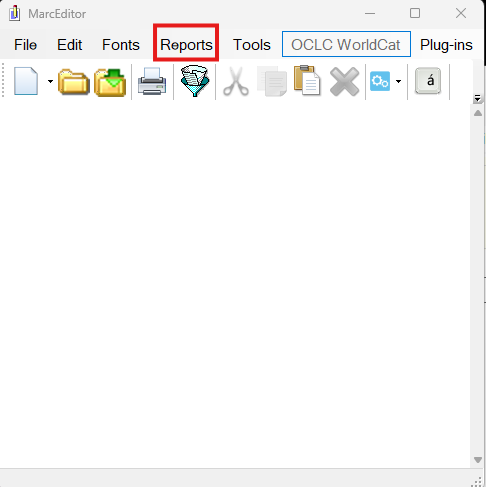 Image Added
- Next, click on MARCValidator
Image Removed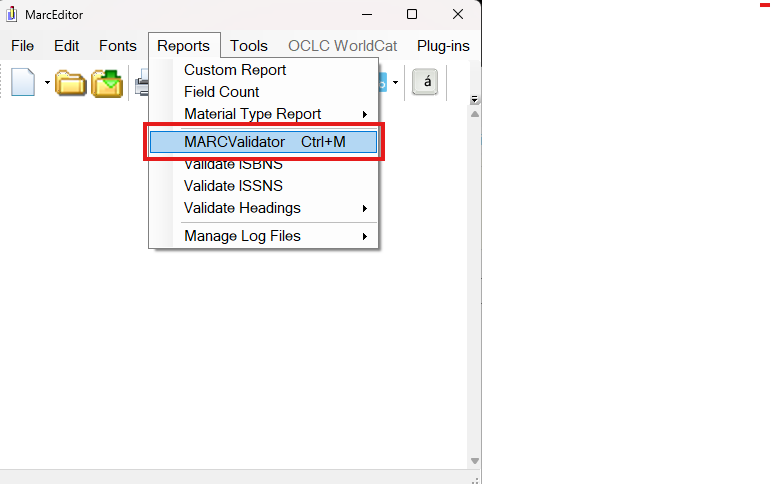 Image Added
- Make sure “Check MARC Using Rules File’ is checked. You can check additional boxes, depending on the error you are investigating.
Image Removed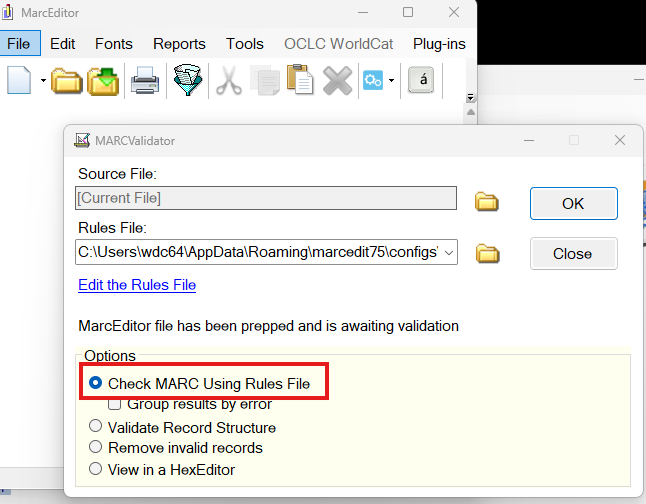 Image Added
- MARCEdit will provide you with an explanation of the potential issues with your records as well as a list of the affected records.
Image Removed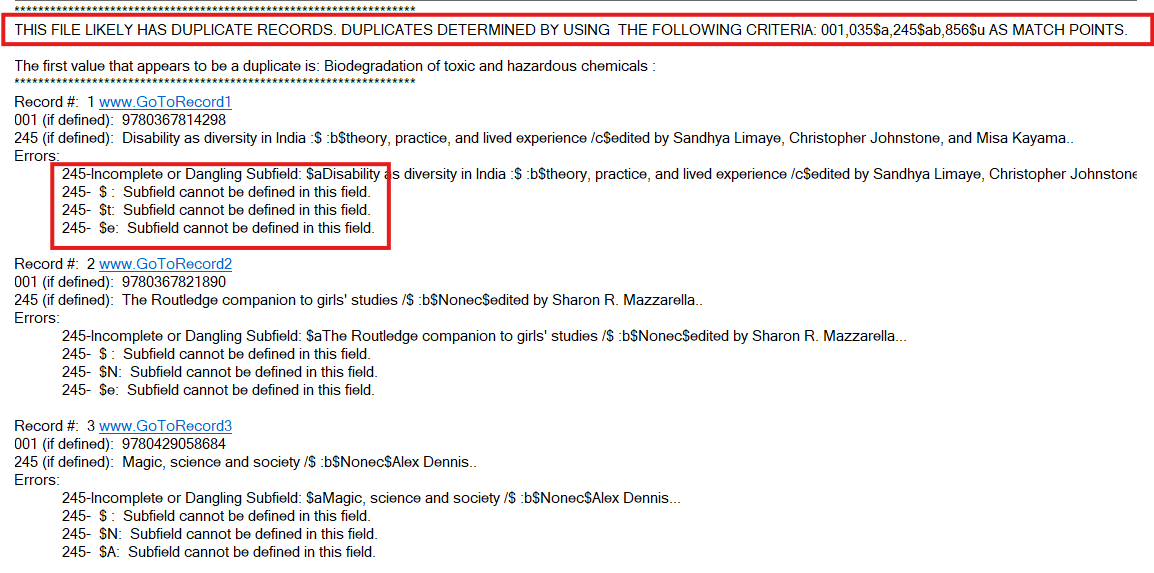 Image Added
Other Notes/Recommendations
- If you do NOT get an error, but records from your file upload are not imported, check the ‘Inventory’ section in FOLIO. Sometimes records already exist, so you will not receive an error message. Be sure to use the records identifiers when checking.
- If you see a message that says ‘No record’ like the example listed; the record was kicked out to deduplicate.
Image Removed Image Added

