*** This version of Confluence is for testing only and contains a copy of content from June 29th 2026. No changes will be preserved. ***

...
You can then study previously created JenkinsFiles for the format of the new JenkinsFile needed to create the new pipeline and the plugins used (most importantly the "Publish Over SSH" plugin). You will likely need to SSH into a machine to deploy and for that you need to also configure the SSH credentials for that server in the "Publish Over SSH" options under "Configure System" on the "Manage Jenkins" page as exemplified here:
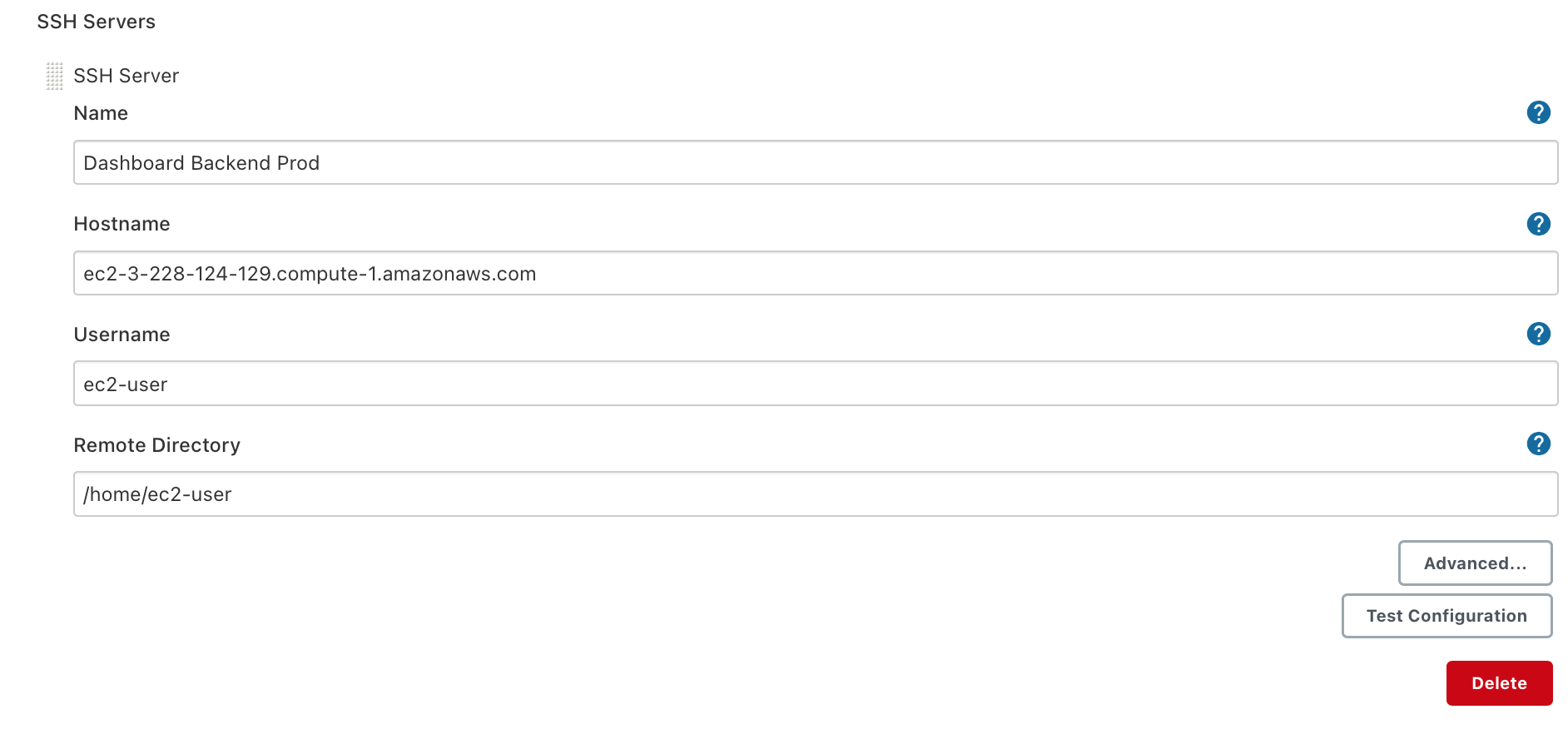
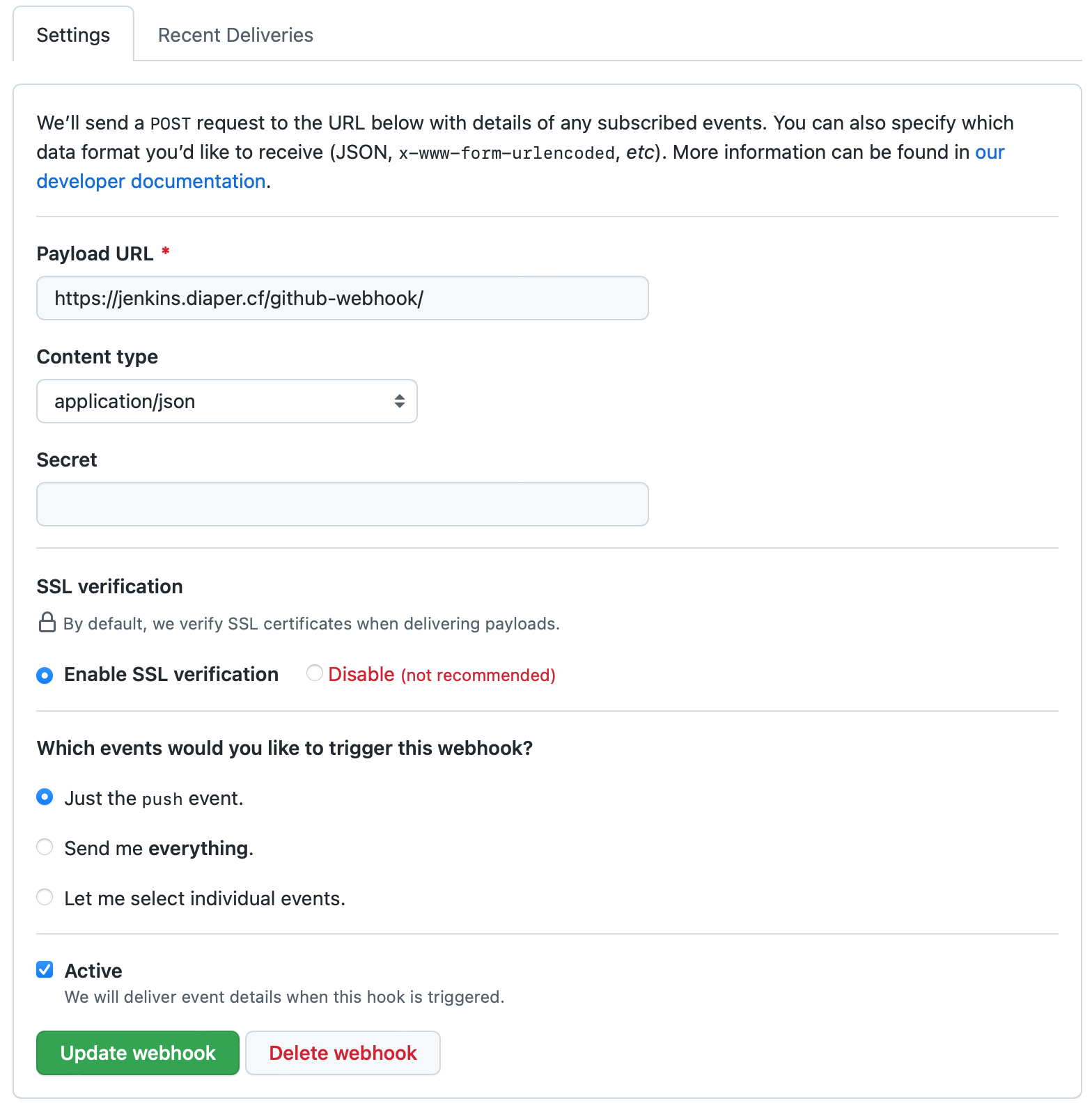
Then you'll update the Jenkinsfile for you pipeline (likely initially created as a copy of an existing Jenkinsfile) with the name you gave the server in the previous step everywhere there is a "shh Publisher" step in the Jenkinsfile. You also need to change the Git checkout step in the file to pull from the desired repository you are deploying with the new pipeline. Finally, you need to add web hooks to that very repository with the following configuration:
The first step to diagnose issues with the Jenkins server itself is to ssh into the Jenkins EC2 instance and run the following command:
...
In the incredibly unlikely event that the Jenkins server fails, we backed up our EC2 instance to avoid repeating the many hours of work that went into the current configuration.
While you will likely never need to setup Jenkins yourself, as in the case of a failure you should just restore the EC2 instance. In case that is not possible we created this tutorial to make it easier to reconfigure Jenkins on a new EC2 instance if the need were to arise. Before beginning this tutorial make sure you are comfortable interacting with our AWS EC2 instances via SSH.
...
