*** This version of Confluence is for testing only and contains a copy of content from June 29th 2026. No changes will be preserved. ***

...
Administrators login using the username and password stored in the login secrets folder on Box.
The current Jenkins configuration consists of 3 pipelines: one for frontend dashboard, one for backend dashboard, and one for backend mobile. The pipelines are configured to automatically build, test (with poor coverage, as no proper unit tests existed at the time of writing), and then deploy all code pushed to the master branches of each Github repository for the three pipelines. Finally an email with all output from each pipeline job run and the results of the job are sent to the diaperjenkins@gmail.com email address (password set to the password stored in the login secrets file on Box).
Each pipeline is currently hosted here infant-nutrition-project/jenkins-pipelines in the for of three separate Jenkinsfiles which specify the main behavior of the pipelines.
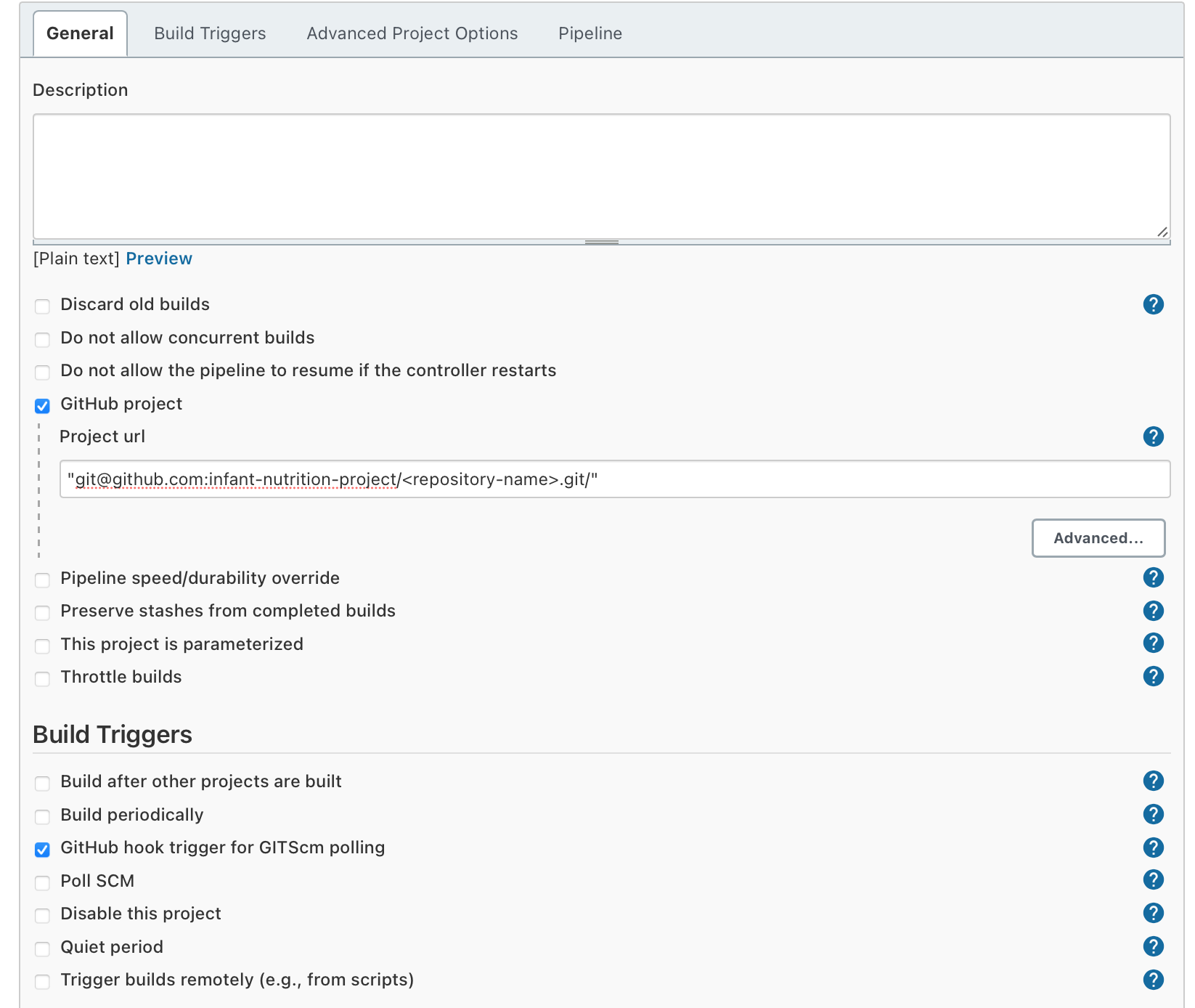
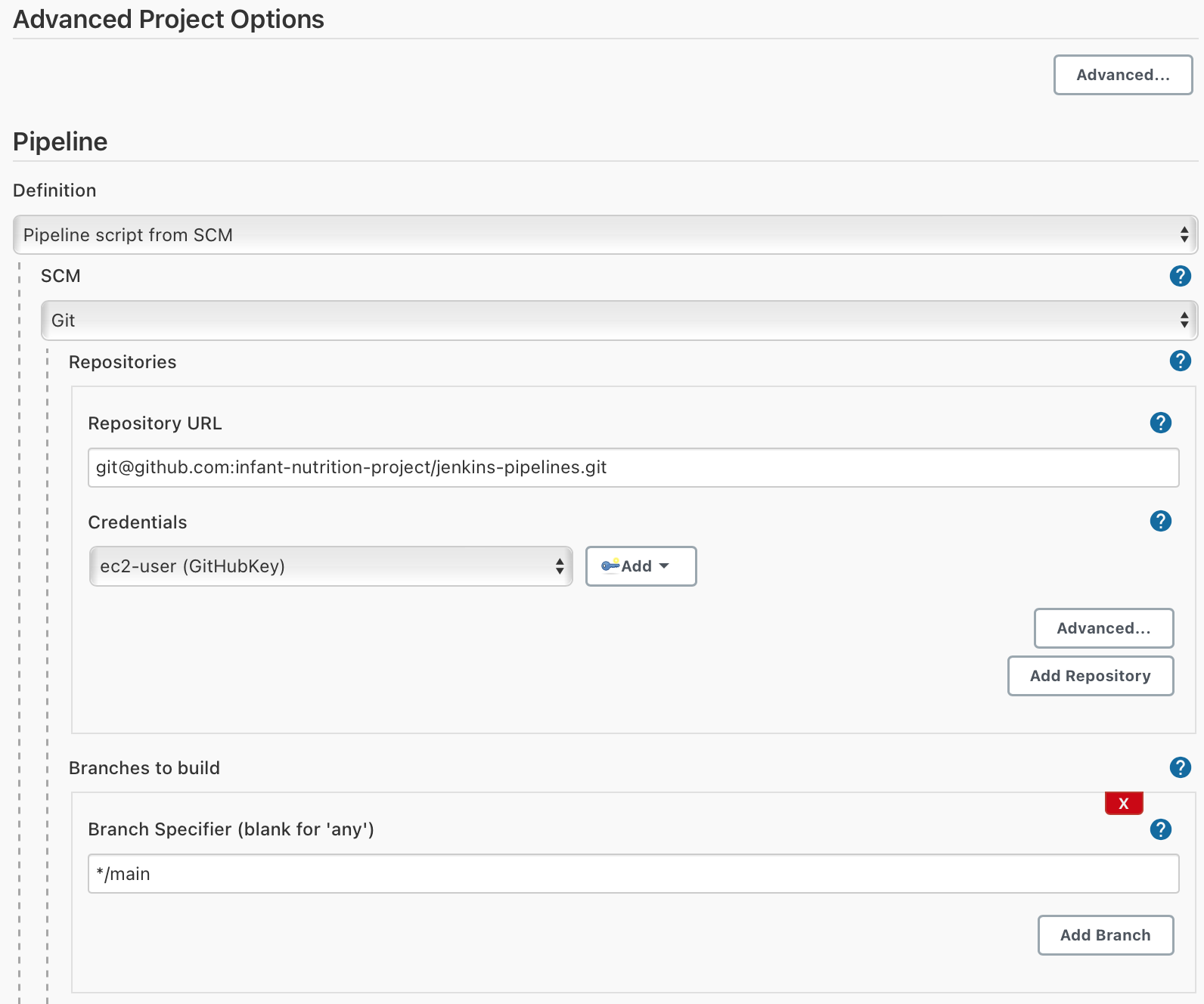
If you want to build a new Jenkins pipeline, you start by navigating to the Jenkins dashboard, clicking "New Item," then enter a name and click "Pipeline," followed by "Ok." Then configure the pipeline with the following options:
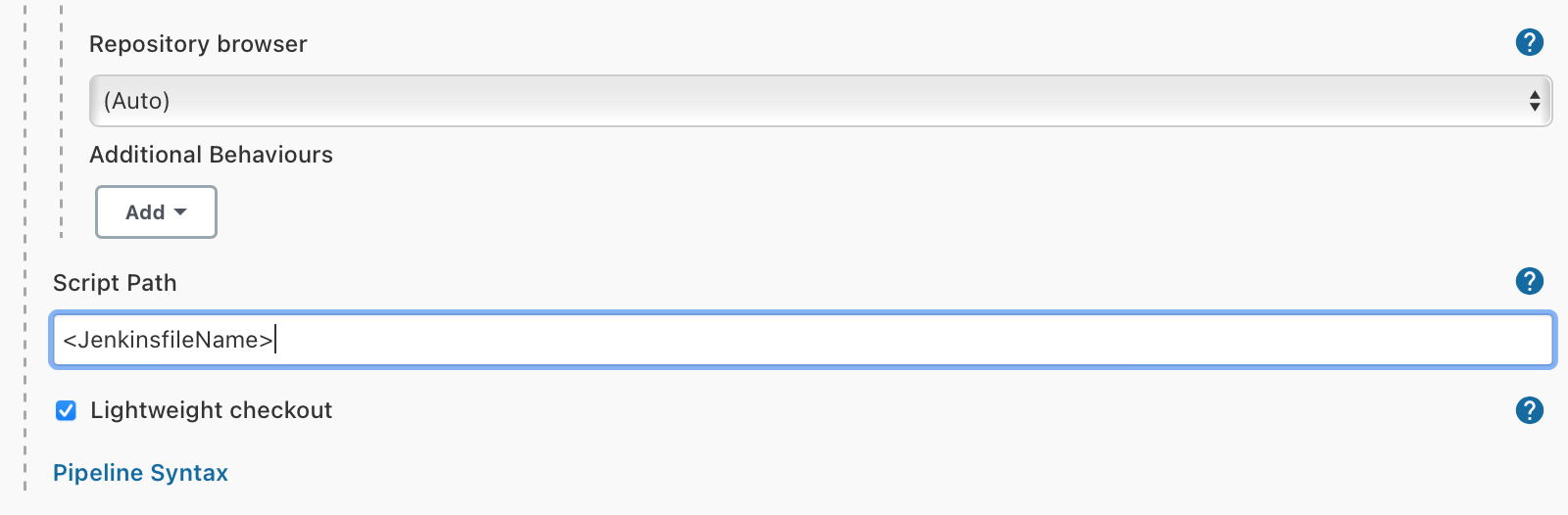
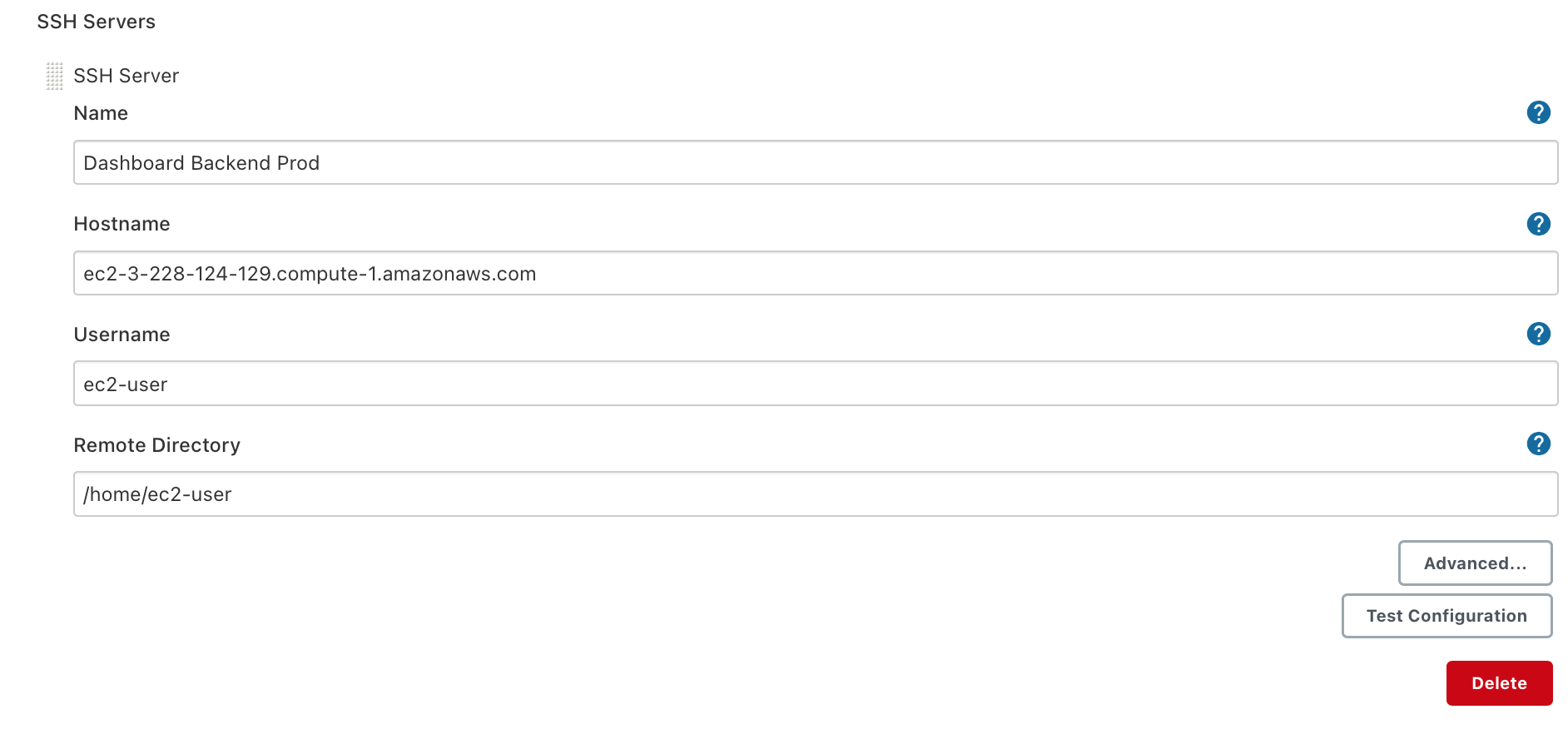
You can then study previously created JenkinsFiles for the format of the new JenkinsFile needed to create the new pipeline and the plugins used (most importantly the "Publish Over SSH" plugin). You will likely need to SSH into a machine to deploy and for that you need to also configure the SSH credentials for that server in the "Publish Over SSH" options under "Configure System" on the "Manage Jenkins" page as exemplified here:
The first step to diagnose issues with the Jenkins server itself is to ssh into the Jenkins EC2 instance and run the following command:
| Code Block |
|---|
$ sudo systemctl status jenkins |
It should say Active: active (running). If you see some other status besides that you need to restart the server with the following command:
| Code Block |
|---|
$ sudo systemctl restart jenkins |
If you find Jenkins often changes status to Active: active (exited) that is probably due to the out of memory killer killing the Jenkins process. We believed we had the issue resolved at the point of writing, but if it comes up in the future consider cloning the EC2 instance to a machine with more memory or else just scheduling restarts of Jenkins at regular intervals. Alternatively if you can figure out how to reduce JVM memory usage that could also solve the problem.
For other issues with the Jenkins server itself consider making sure its SSL cert is not expired or checking the status of the nginx server.
If Jenkins is up and running and anything goes wrong with a build you should consult the errors either sent to the email or stored in the failed job report in Jenkins. You can find this by navigating to jenkins.diaper.cf and signing in with the username and password stored in the Cornell Box and clicking on the relevant job.
While you will likely never need to setup Jenkins yourself, as in case there are any issues the case of a failure you should just restore the EC2 instance. In case that is not possible we created this tutorial to make it easier to reconfigure Jenkins on a new EC2 instance if the need were to arise. Before beginning this tutorial make sure you are comfortable interacting with our AWS EC2 instances via SSH.
...
| Code Block |
|---|
$ sudo amazon-linux-extras install epel -y $ sudo yum install daemonize -y $ sudo yum install jenkins java-1.8.0-openjdk-devel -y |
The current Jenkins configuration consists of 3 pipelines: one for frontend dashboard, one for backend dashboard, and one for backend mobile. The pipelines are configured to automatically build, test (with poor coverage, as no proper unit tests existed at the time of writing), and then deploy all code pushed to the master branches of each Github repository for the three pipelines. Finally an email with all output from each pipeline job run and the results of the job are sent to the diaperjenkins@gmail.com email address (password set to the password stored in the login secrets file on Box).
Each pipeline is currently hosted here infant-nutrition-project/jenkins-pipelines in the for of three separate Jenkinsfiles which specify the main behavior of the pipelines.
If you want to build a new Jenkins pipeline, you start by navigating to the Jenkins dashboard, clicking "New Item," then enter a name and click "Pipeline," followed by "Ok." Then configure the pipeline with the following options:
The first step to diagnose issues with the Jenkins server itself is to ssh into the Jenkins EC2 instance and run the following command:
| Code Block |
|---|
$ sudo systemctl status jenkins |
It should say Active: active (running). If you see some other status besides that you need to restart the server with the following command:
| Code Block |
|---|
$ sudo systemctl restart jenkins |
If you find Jenkins often changes status to Active: active (exited) that is probably due to the out of memory killer killing the Jenkins process. We believed we had the issue resolved at the point of writing, but if it comes up in the future consider cloning the EC2 instance to a machine with more memory or else just scheduling restarts of Jenkins at regular intervals. Alternatively if you can figure out how to reduce JVM memory usage that could also solve the problem.
For other issues with the Jenkins server itself consider making sure its SSL cert is not expired or checking the status of the nginx server.
...
Additionally following the installation you need to change the default user Jenkins runs as to "ec2-user". You can follow instructions given here: http://blog.manula.org/2013/03/running-jenkins-under-different-user-in.html
You will also need to install the Publish Over SSH plugin and add the private key of the Jenkins server to the Publish Over SSH options under the "Configure System" subpage of "Manage Jenkins." You'll also need to configure a key pair for accessing Github using "Manage Credentials" under "Manage Jenkins." Information on how to configure these plugins is widely available on StackOverflow and Jenkins own docs page.
