*** This version of Confluence is for testing only and contains a copy of content from June 29th 2026. No changes will be preserved. ***

...
12. You'll want to indicate that the ongoing order has been cancelled after a given year in the Receiving note field. 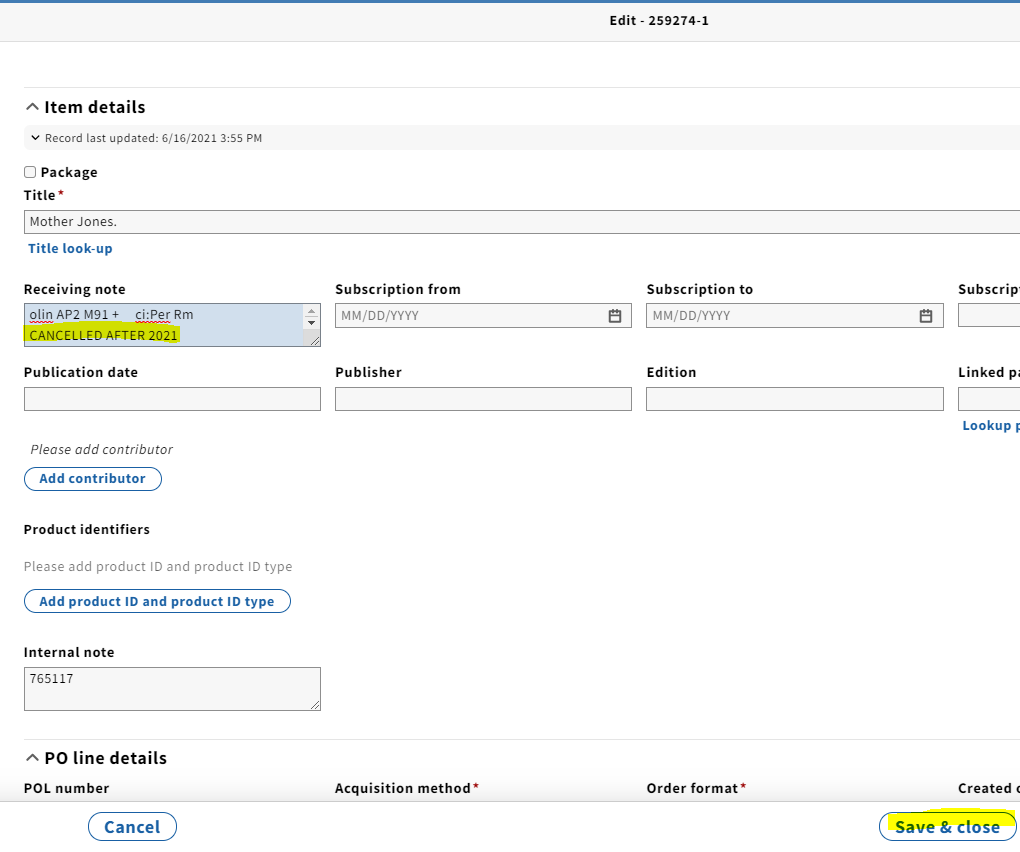
13. Under PO line details, change both the Receipt status and Payment status (as long as the last invoice has been paid) to Cancelled from the drop-down menu.

14. Scroll down to Cancellation description and add your cancellation note again.
...
Alternatively, this can be noted in the Instructions to vendor field, which is a field we used in Voyager to note a cancellation.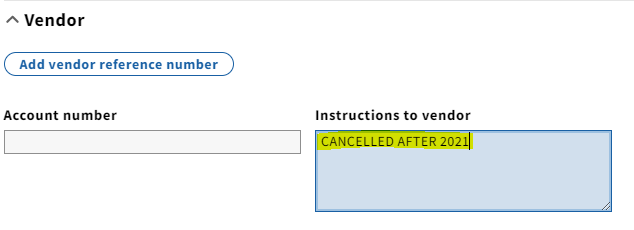
1415. If this is the only line item on the purchase order, you will want to close out the PO. Note that only open orders can be closed. Take the following steps to do so:
...
c. A pop-up box will appear where you can indicate why you are closing the PO. For cancellations, you'll want to select Cancelled under the Reason dropdown menu and note when the order was cancelledwas cancelled.
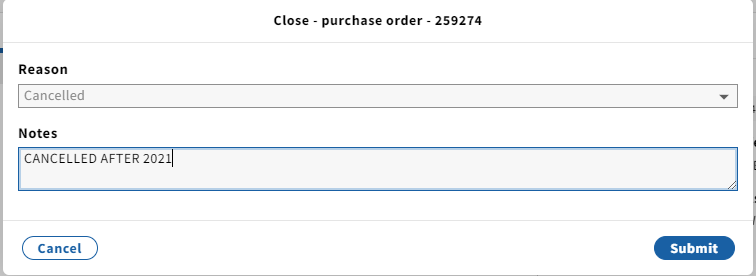
d. To close the order, click Submit. A confirmation message appears and the order’s status changes to Closed.
...
