*** This version of Confluence is for testing only and contains a copy of content from June 29th 2026. No changes will be preserved. ***

...
14. If this is the only line item on the purchase order, you will want to close out the PO. Note that only open orders can be closed. Take the following steps to do so:
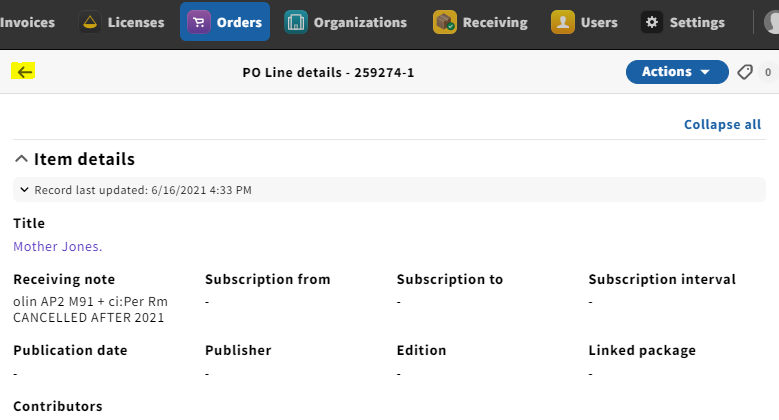
a. Click the arrow on the upper-lefthand corner of the POL details pane, which takes you to the PO itself
bb. Click Actions and Close order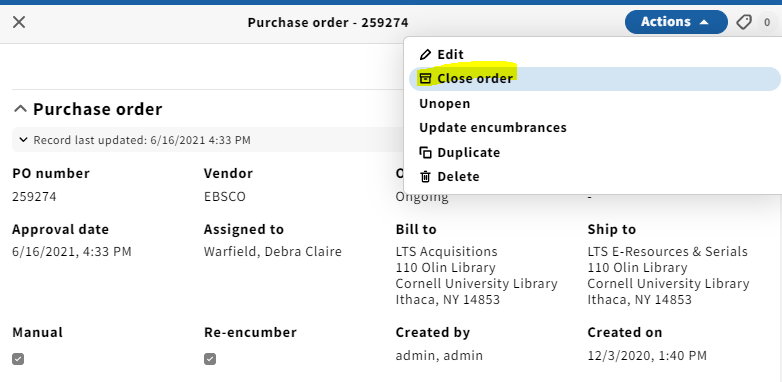
c15. A pop-up box will appear where you can indicate why you are closing the PO. For cancellations, you'll want to select Cancelled under the Reason dropdown menu and note when the order was cancelled.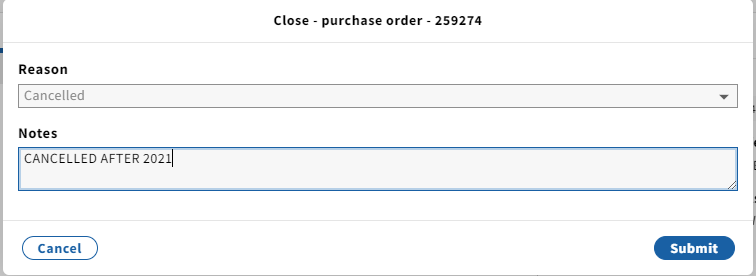
d16. To close the order, click Submit. A confirmation message appears and the order’s status changes to Closed.
...
