*** This version of Confluence is for testing only and contains a copy of content from June 29th 2026. No changes will be preserved. ***

see related
Manually create invoice
Tips for searching invoices
Steps:
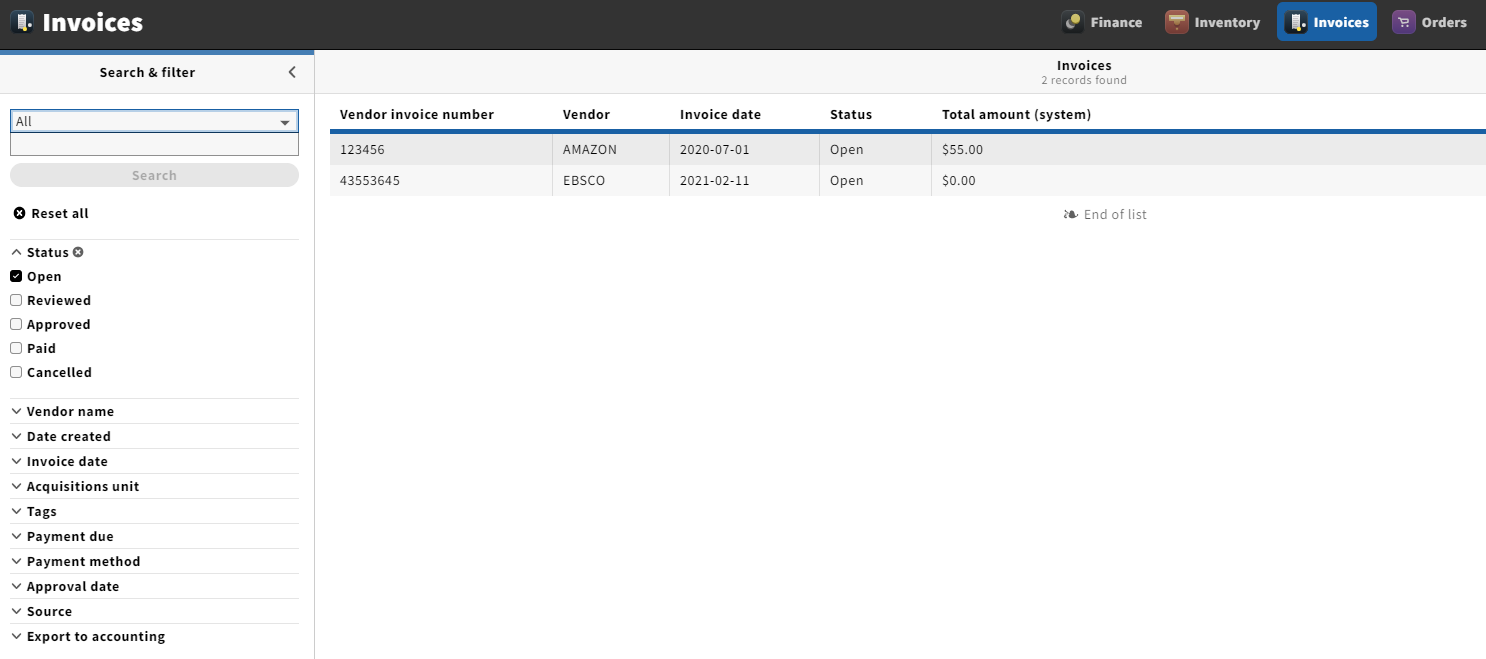
1. Open the invoices app from the menu bar
2. Search for an invoice by using the search bar and/or filters
3. Select an invoice from the right hand panel after (note: invoice must have the status of "open" to be able to add an invoice line)
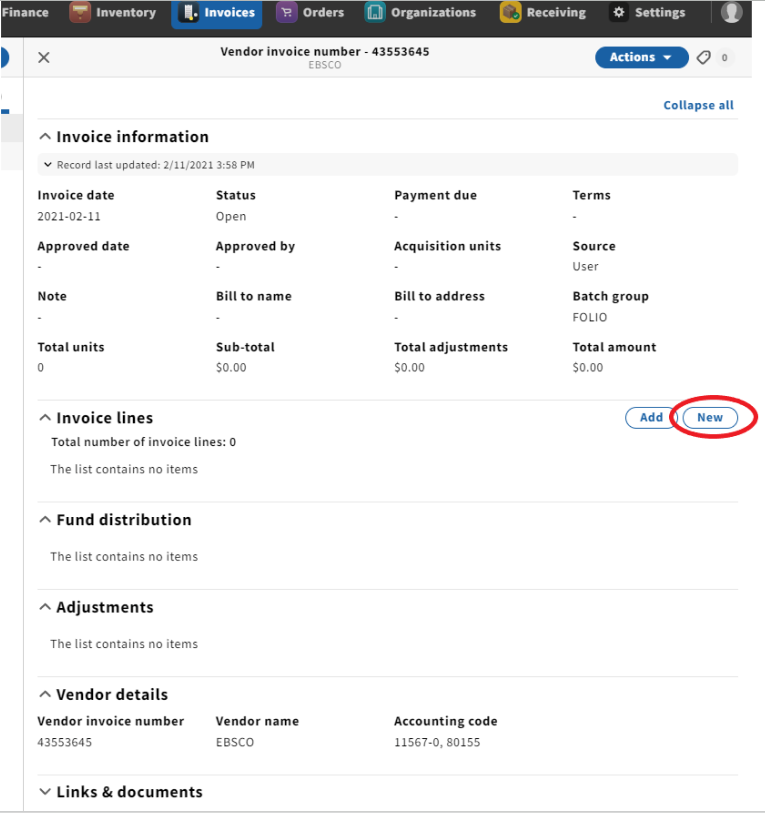
Expected result: Invoice will appear as a third panel on the right hand side of the screen
4. Under the invoice line accordion, click "New"
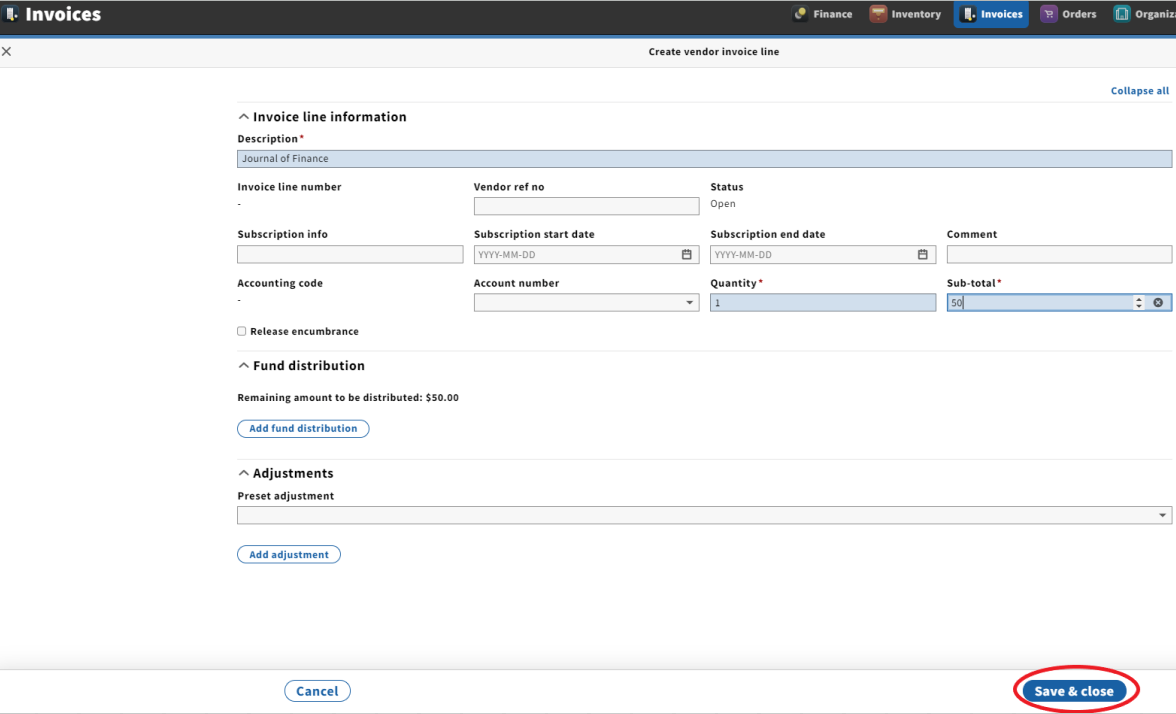
Expected result: "Create vendor invoice line" will appear
5. Add required fields (Description, Quantity, and Sub-total)
6. Click "Save & close"
Expected results:
Precondition:
See C2299
Steps:
Select invoice open invoice
In invoice line accordion click "New"
Add description
Add quantity
Add sub total amount
Click save
Expected results:
...
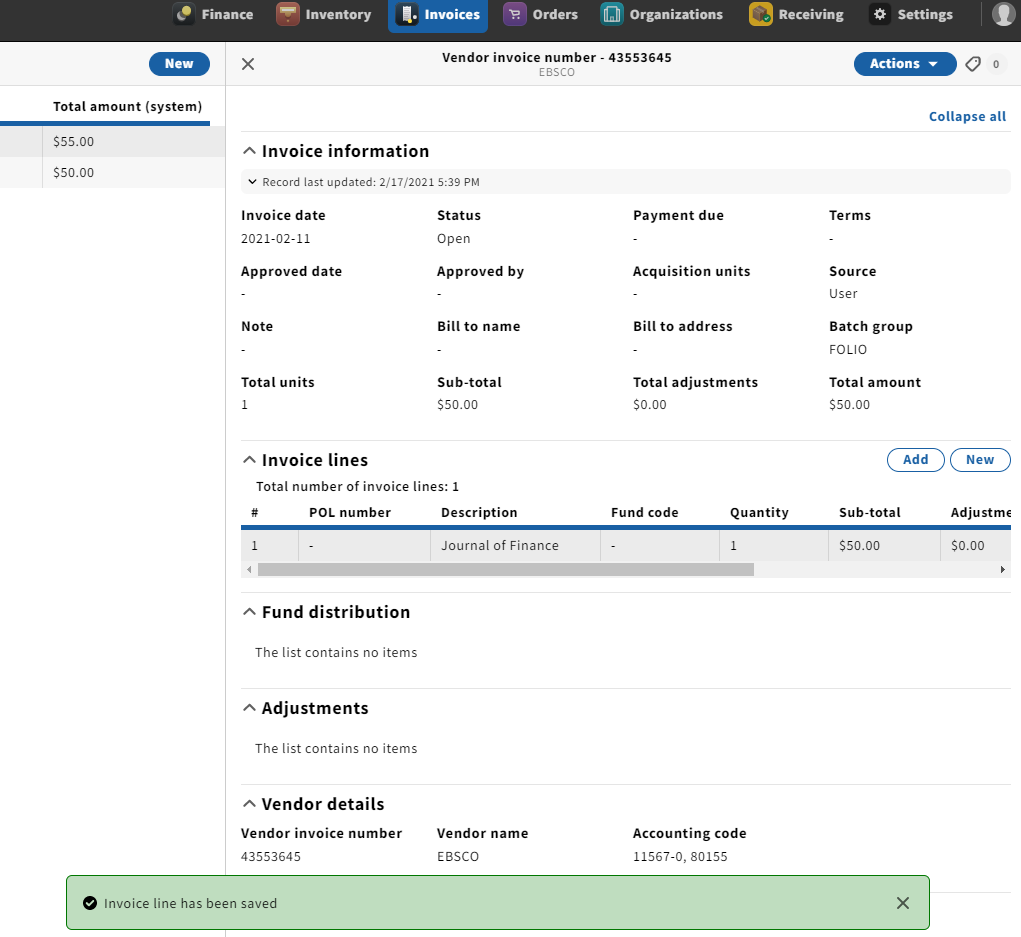
Create invoice line form is dismissed
...
New invoice is displayed in three-pane layout
...
Confirmation message
...
of
...
invoice line creation is displayed at bottom of page