*** This version of Confluence is for testing only and contains a copy of content from June 29th 2026. No changes will be preserved. ***

...
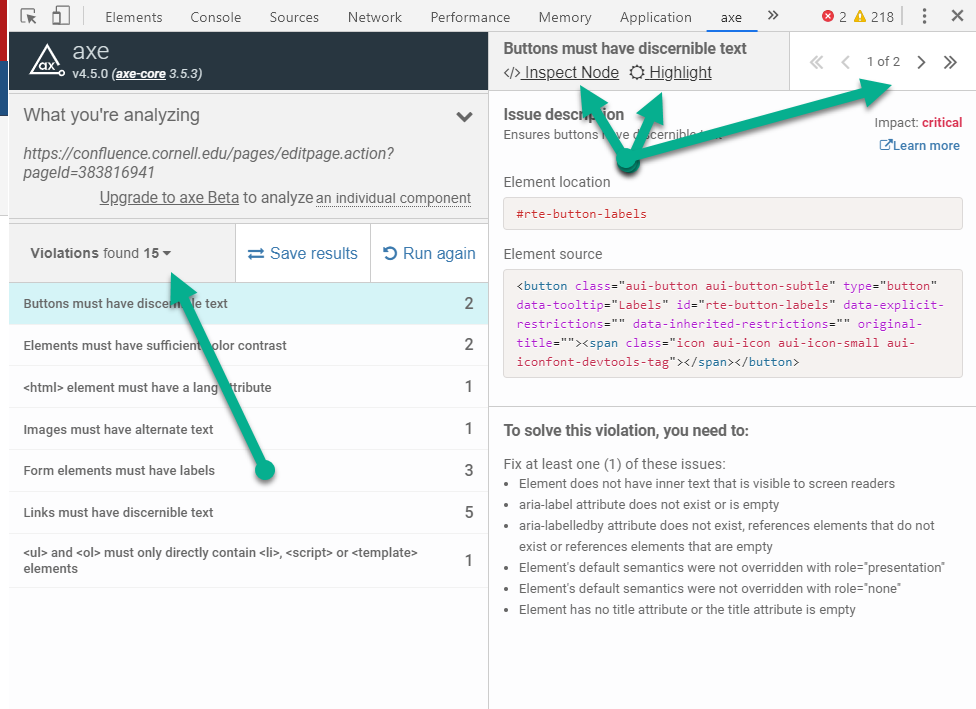
Information can be filtered by the type of issue (Violation, Needs review, Best practices). Beneath each of these types, a list of issues appears. Each item can be further split into individual occurrences.
Inspect Node shows the issue in the code. Highlight shows the issue on the rendered page.
Each issue has a description, shows element location & source, and provides ways to solve the problem.