*** This version of Confluence is for testing only and contains a copy of content from June 29th 2026. No changes will be preserved. ***

The automatic sync from iModules to WP does not always capture new or more often updated events. Running these steps on the schedule described will keep the events more in sync.
Run these steps 3 days a week on Monday, Wednesday, & Friday:
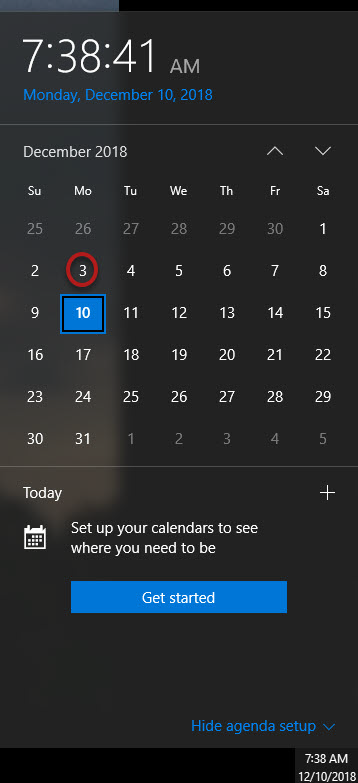
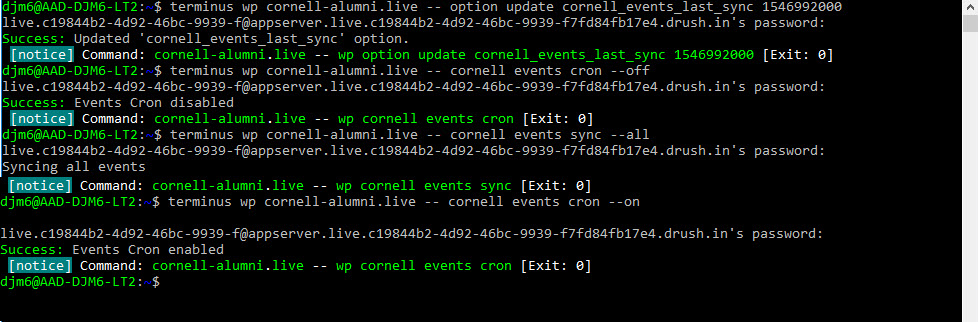
Run that command and the following 3 commands:
Turn the auto sync off: terminus wp cornell-alumni.live -- cornell events cron --off
Start the sync running: terminus wp cornell-alumni.live -- cornell events sync --all
Turn the auto sync on: terminus wp cornell-alumni.live -- cornell events cron --on
| Info |
|---|
| Content by Label | ||||||||||||||||||
|---|---|---|---|---|---|---|---|---|---|---|---|---|---|---|---|---|---|---|
|
...