*** This version of Confluence is for testing only and contains a copy of content from June 29th 2026. No changes will be preserved. ***

Contribute Connections (administrator)
Giving: http://giving.cornell.edu
https://webhost066.kproxy.cornell.edu/aad-alumni-prod/htdocs/giving/
Alumni: http://www.alumni.cornell.edu
https://webhost066.kproxy.cornell.edu/aad-alumni-prod/htdocs/alumni/
Homecoming: http://homecoming.cornell.edu
https://webhost066.kproxy.cornell.edu/aad-alumni-prod/htdocs/alumni/homecoming/
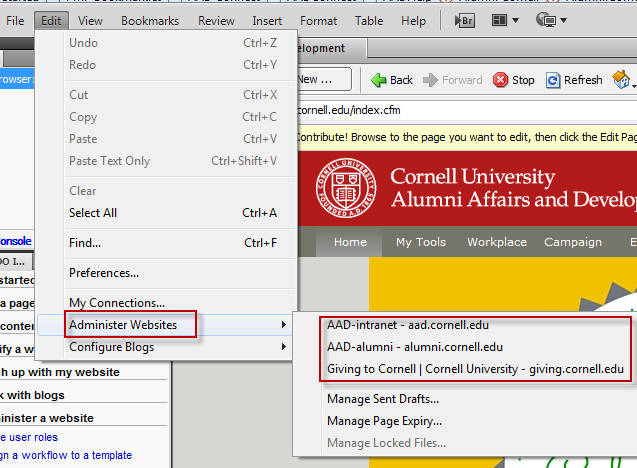 | Start contribute (if you already have the connection to the website set up you can skip the next X steps) | ||||||
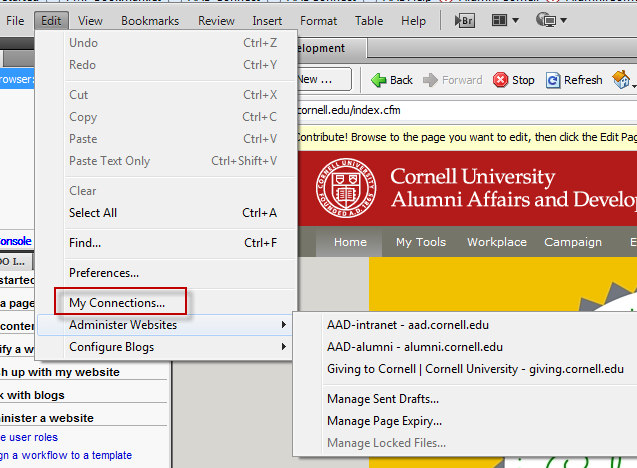
| Click on "My Connections" to add a website | ||||||
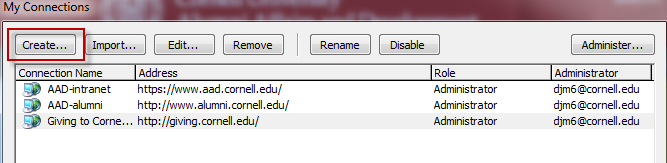
| Click the "Create" button opens a new dialog box. | ||||||
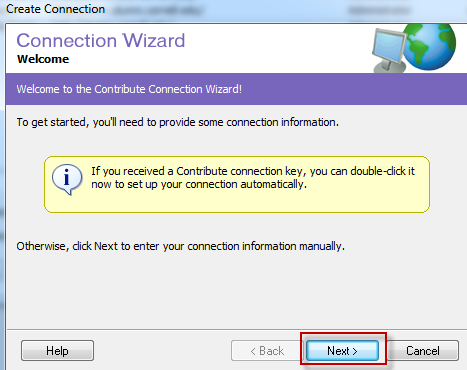
| Click the next button | ||||||
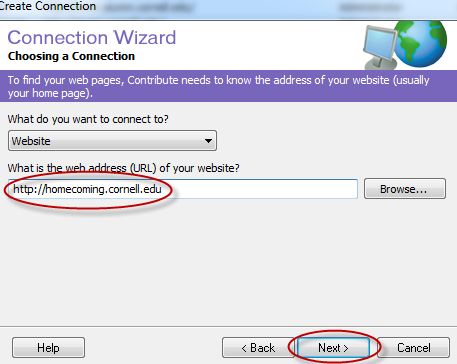
| Enter your website's url and click the next button | ||||||
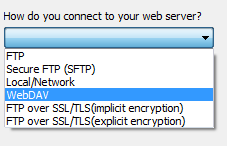
| Pick WebDAV from the drop down list | ||||||
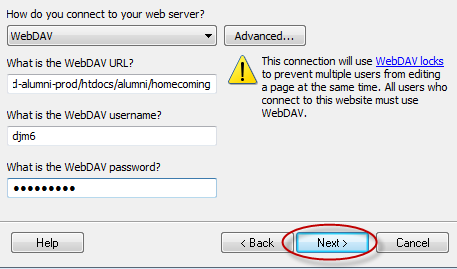
| Enter required information (WebDAV username & password is yours), then click next. | ||||||
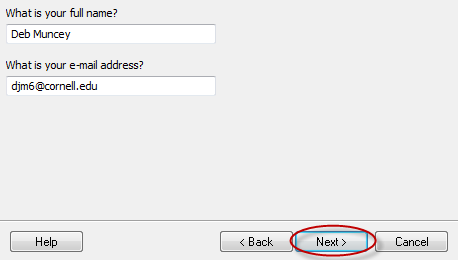
| Enter your full name & email address then click next. | ||||||
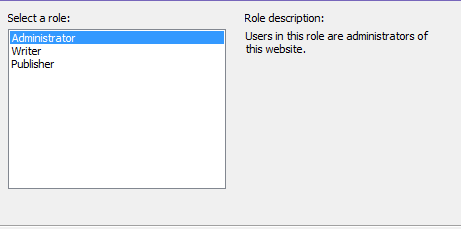
| Select Administrator from the list | ||||||
| Set an administrator password |