...
- Test from a browser of another computer in the office, first.
- Result: Kicks on out of other session, picking up exactly where you are.
- Withing VDI, way to suspend session without logging out? That is, get the same result as the above, but without first logging in elsewhere first?
- Can I log into it from a browser running from within my VDI?!
...
- Does is it retained over time, through reboots?
What is the lowest level of processing the think client needs?
NetID credentials retention: Confirm it's happening, by others.
- Firefox retains NetID credentials through the weekend such that logging into Remedy on Monday (after restoring all tabs after re-opening Firefos) did NOT prompt me for a NetID password challenge. It simply allowed me into Remedy.
- Subsequently going into Confluence did require me to log in using my NetID credentials.
What is the lowest level of processing the think client needs?
- Try to measure the value of using a client with Teradici-licensed, dedicated hardware card.
- If performance OK without the card, than can consider using cheaper clients.
- Also, if it performs OK on decent
- Try to measure the value of using a client with Teradici-licensed, dedicated hardware card.
- If performance OK without the card, than can consider using cheaper clients.
- Also, if it performs OK on decent, but non-carded, hardware, then the question is how does it perform on super-low performance (even cheaper!) hardware?
- See "NoTouch Desktop", elsewhere on this page.
Try out NoTouch Desktop software (Per seat: ~$32 + $6-7/yr).
- http://www.stratodesk.com/products/notouch-desktop
- Associated support software (management console, VM tool) available at no extra cost.
- 5/14/15Thur: MH created boot drive and use on one of our old, spare Dells. Worked fine.
- 5/8/15: Requested free trial software and got the links.
- 697MB
- Stratodesk-NoTouchReceiver-2.39.323-EEs-k305-150425.zip
- R:\Users\oh10\VDI related
Try out Creative Cloud software
- 5/11/15Mon: Tested out with Zack and all looked good.
- Acrobat DC still not loaded up, however.
- Info from Friday morning, 5/8/15, with KeeneS:
- May switch Acrobat to the Serialized Creative Cloud.
- Serialized Creative Cloud replacing current virtual application deployment this weekend, for Monday (5/11/15).
Issues Oliver is having
Reported issue to CIT, Reported 12/3/15 (Thur)
INC000001553418 - Desktop Everywhere: Acrobat not licensed
Why is this product not serialized? It had been working just fine, before.
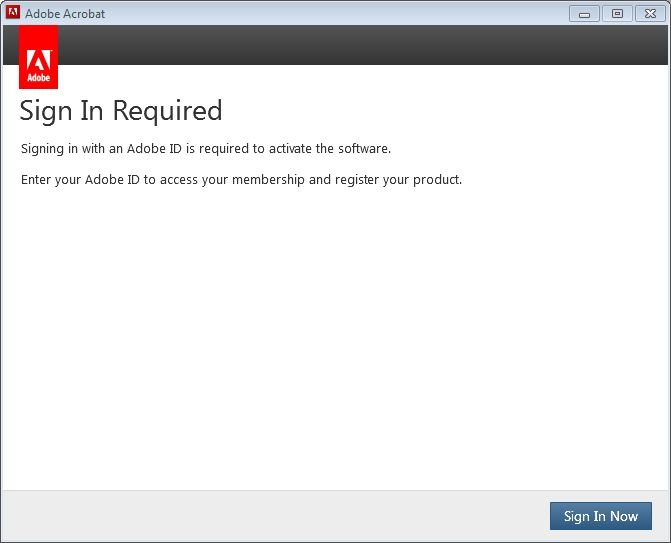 Image Removed
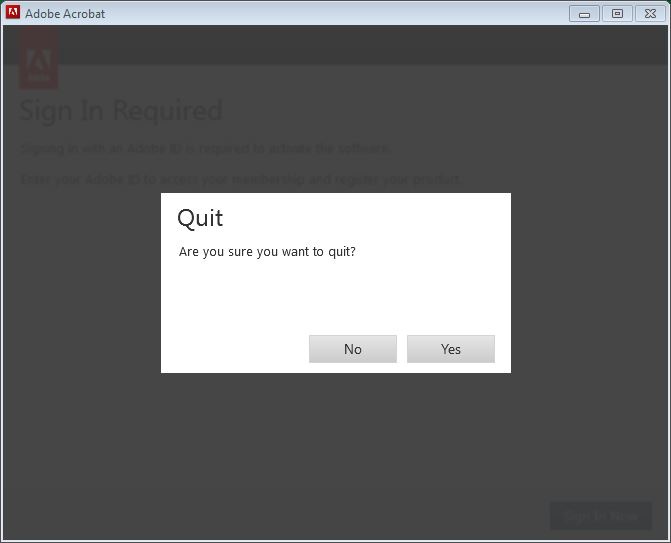 Image Removed
Answer: This sometimes happens. Restarting VDI session only known way to fix the problem.
Also, first time launching Acrobat after a restart produced (always produces?) this error:
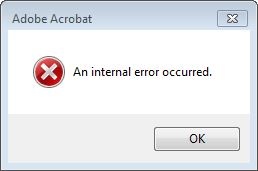 Image Removed
Acrobat doesn't launch after dismissing error. However, trying same thing again launches Acrobat, with no errors.
Reported issue to CIT, as of 10/19/15 (Mon)
New ticket number INC000001516309, "INC000001516309 - Desktop Everywhere: Problems with OneDrive syncing."
- OneDrive not syncing in consistent location, and errors.
Multiple locations and creation of multiple associated support directories:
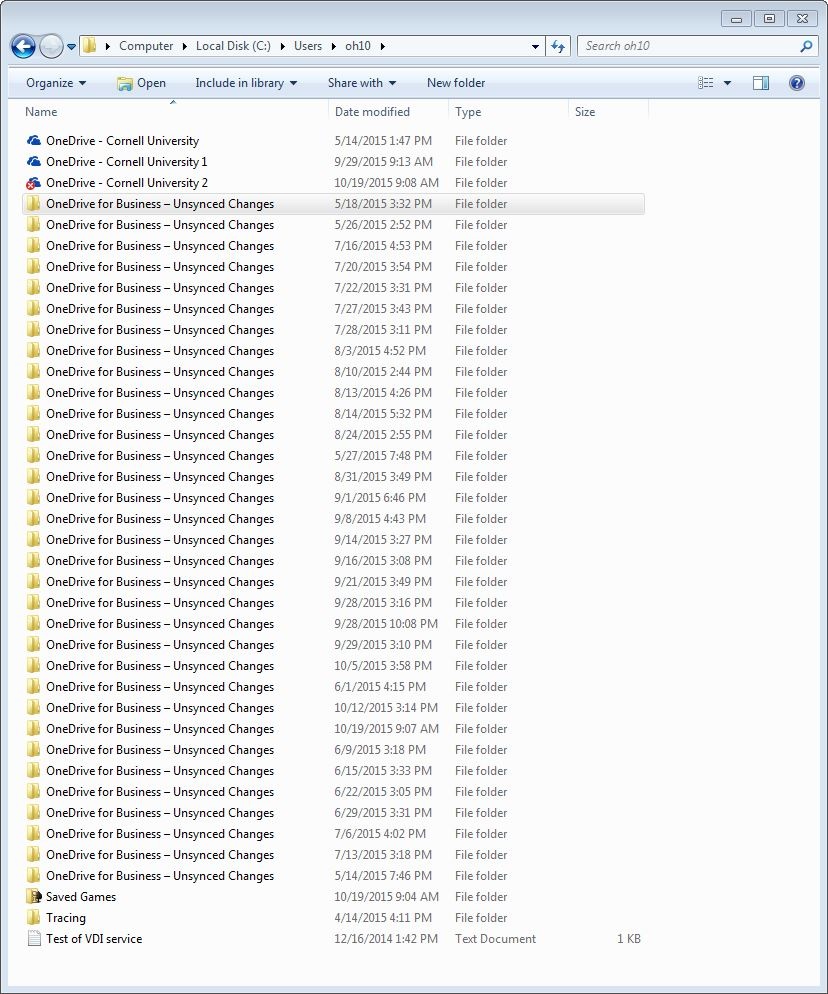 Image Removed
What that causes to be seen within "Favorites":
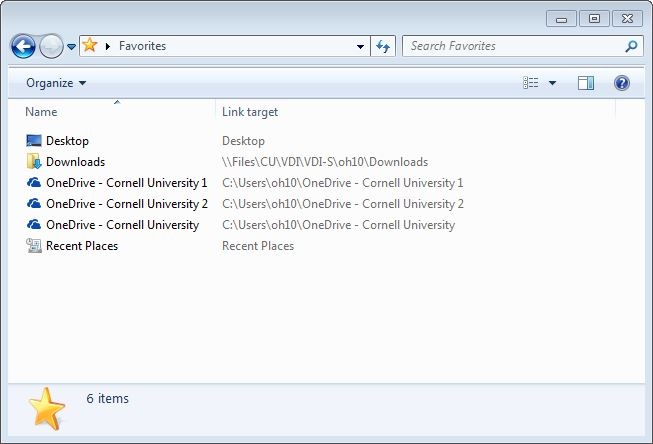 Image Removed
And the reported failures from today's syncing (10/19/15), even after a "Repair" invoked:
- cheaper!) hardware?
- See "NoTouch Desktop", elsewhere on this page.
Try out NoTouch Desktop software (Per seat: ~$32 + $6-7/yr).
- http://www.stratodesk.com/products/notouch-desktop
- Associated support software (management console, VM tool) available at no extra cost.
- 5/14/15Thur: MH created boot drive and use on one of our old, spare Dells. Worked fine.
- 5/8/15: Requested free trial software and got the links.
- 697MB
- Stratodesk-NoTouchReceiver-2.39.323-EEs-k305-150425.zip
- R:\Users\oh10\VDI related
Try out Creative Cloud software
- 5/11/15Mon: Tested out with Zack and all looked good.
- Acrobat DC still not loaded up, however.
- Info from Friday morning, 5/8/15, with KeeneS:
- May switch Acrobat to the Serialized Creative Cloud.
- Serialized Creative Cloud replacing current virtual application deployment this weekend, for Monday (5/11/15).
Issues Oliver is having
Reported issue to CIT, Reported 12/3/15 (Thur)
INC000001553418 - Desktop Everywhere: Acrobat not licensed
Why is this product not serialized? It had been working just fine, before.
Image Added
Image Added
Answer: This sometimes happens. Restarting VDI session only known way to fix the problem.
Also, first time launching Acrobat after a restart produced (always produces?) this error:
Image Added
Acrobat doesn't launch after dismissing error. However, trying same thing again launches Acrobat, with no errors.
Reported issue to CIT, as of 10/19/15 (Mon)
New ticket number INC000001516309, "INC000001516309 - Desktop Everywhere: Problems with OneDrive syncing."
- OneDrive not syncing in consistent location, and errors.
Multiple locations and creation of multiple associated support directories:
Image Added
What that causes to be seen within "Favorites":
Image Added
And the reported failures from today's syncing (10/19/15), even after a "Repair" invoked:
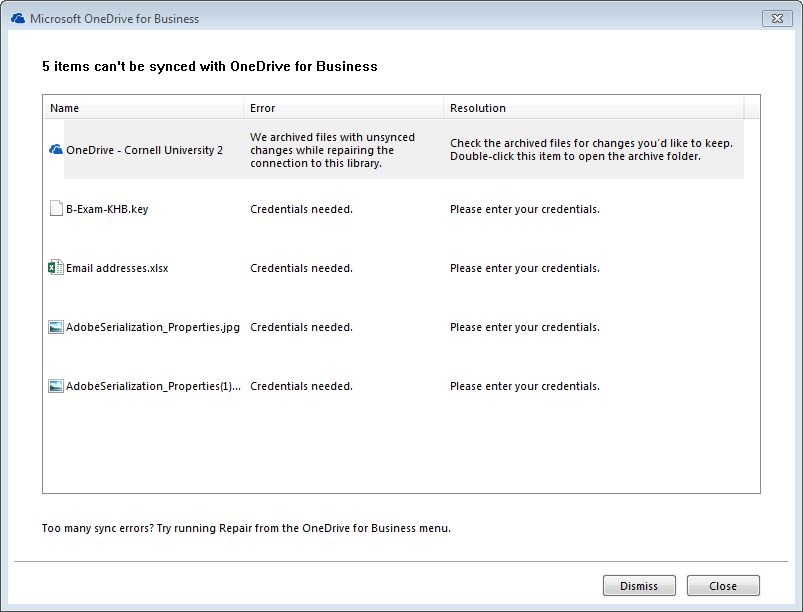 Image Added
Did recommended aggressive "cleaning" (see Remedy ticket for details).
- Others using OneDrive seem not to have this problem. Thus, problem with just my OneDrive, and nothing to do with VDI?
Oliver's situation, and his VDI Office/ Groove (prior tech. name for OneDrive):
Office version, in VDI:
 Image Added
OneDrive (Groove.exe) version, in VDI:
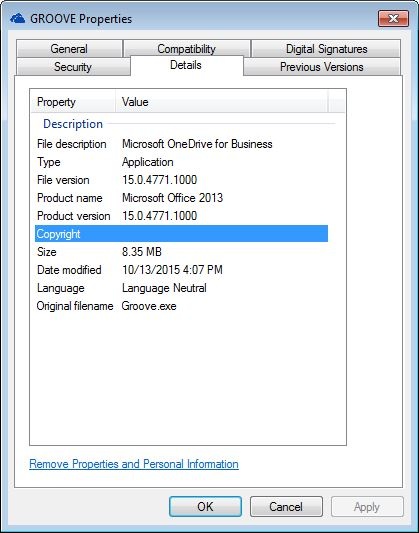 Image Added
And a OneDrive anomaly in Oliver's Office365 interface in which OneDrive is not pinable, but otherwise completely usable via the web:
Image Removed
Reported issue to CIT, as of 5/29/15 (Fri)
...
