...
However, Box Edit may be "good enough" to facilitate using files within my CU-based Box.com account.
...
- Hence the desire for Box Edit to start and work correctly.
File share privileges too liberal, but only within Desktop Everywhere
Status
Friday morning, 5/8/15, with KeeneS:
- Keene Bomgar'd in to both my VDI and workstation Dell and confirmed report.
- Keene intends to work with Greg to develop theories and let me know if I can do any further tests.
- I suggested he create a Desktop Anywhere instance for himself and have Greg give him file share access to A&S file share analogous to mine and see if the issue can be replicated.
Original report, 5/3/15
I can see anyone’s files within our file share, such all directories here:
\\files.cornell.edu\as\chm\Users
I’m using my basic <oh10> account to log in (the only one I’m paying for within CIT’s VDI service); nothing special.
We have verified that permissions on the above directories are correct. Indeed, on any other Windows computer, permissions are respected. Thus I suspect the CIT VDI instance is giving me elevated privileges to my account in an unintended way.
More details: I just tested more directories and I can seem to see into any directory below <\as\chm\> AND everywhere below <\as\PHY\>. However, one level above those <\as\>, I was not able to get to other directories I tested at that level, FWIW.
To clarify: My basic <oh10> AD account should not get broad access to either of the Chm or Phy levels, even though my IT group supports both Chemistry and Physics. And I confirmed I cannot get access to them when using my <oh10> account from within other Windows systems, other than CIT’s VDI.
In this case, my directories are on a file server provisioned by A&S IT, a service used to support A&S staff and admin-related services.
...
CU View blocked (Java plug-in)
Status
Friday morning, 5/8/15, with KeeneS:
- Ideally webcams should be using applications with signed certificates, if they must use Java at all. (Self-signing is not sufficient). Especially Cornell-based web cams!
- Asking web visitors to perform a configuration work-around (which doesn't even work in all instances, such as within Desktop Everywhere!), or even worse, ask them to lessen their security, is not a reasonable alternative.
Consider doing:
Have someone inform webcam of evolved expectations.
- Should it be the IT Security office, who can confirm this request is valid, and if so, has the credibility?
Original report
Pertains to all of the campus's views:
...
FIXED: Quest tool upgrade delayed
Take-home, regarding any virtualized application in Desktop Everywhere
Any virtual application will require the Desktop Everywhere staff to update it specially.
- It's not part of the image, so updating the image's software leaves the virtual applications untouched (for better or worse!).
- Per Friday morning, 5/8/15, with KeeneS.
Original report
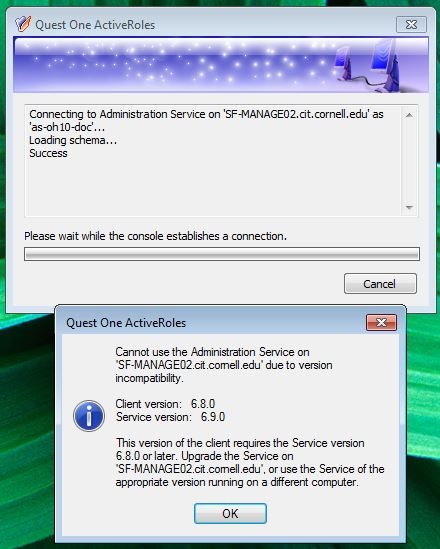
Quest server was upgraded over the weekend. By Monday morning (4/20/15), the Quest client was not updated so access to service via fat client not possible:
File share access
Status
Friday morning, 5/8/15, with KeeneS:
- I reported that this problem has not been seen for weeks. Thus, currently a non-issue.
Original report
A properly configured file share short-cut fails to work, per dialog presented below. And default of the dialog is to remove the short-cut- ouch!
- The short-cut always works the second time it's selected.
Printing
Status
Friday morning, 5/8/15, with KeeneS:
- Keene will investigate adding our 2 ChemIT printers to CIT's printer server. And let me know.
- Service is not designed to work with printers directly, only with printer servers (anyone's).
Issue 3, below, can only be solved with boot-up scripts because of where date regarding default printer is stored.
- CIT does not have a stock script, etc. Thus, will just deal with it "as is".
Original report
1) Can't install a printer for which the driver is installed. (HP)
...
Doesn't retain settings, such as "don't ask me again" or "remember this"
Status
Friday morning, 5/8/15, with KeeneS:
- For most of these issues, can only be solved with boot-up scripts because of where data regarding stored defaults are stored.
Original report
- CIT does not have any stock scripts for this kind of specialized functionality. Thus, will just deal with it "as is".
- iPhone: Trust this computer? I say Yes, and remember that. It won't remember it.
- MS Office: Stop auto-correcting. Such as automatically imposing formatting on bullet lists in Outlook:
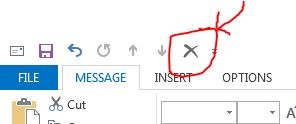
- MS Office: In Outlook, does not remember that I added the delete button in my ribbon bar:
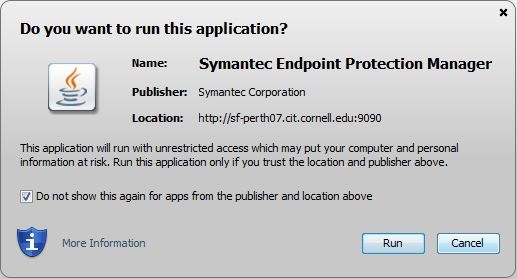
- Java: Symantec Endpoint Protection Manager:
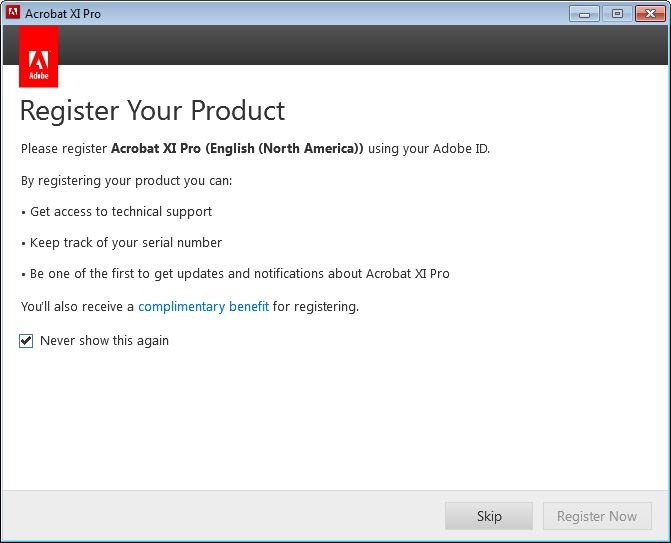
- Adobe Acrobat:
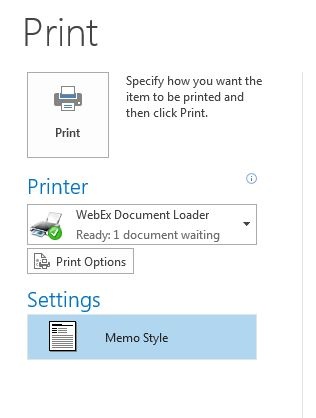
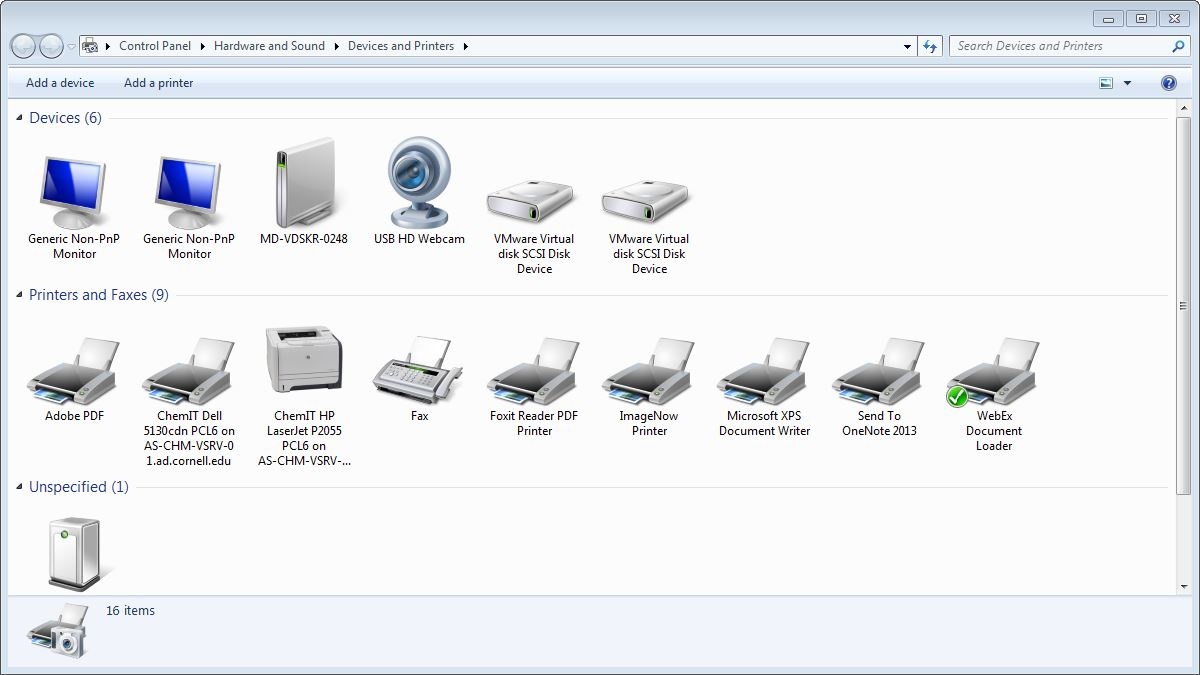
- Default printer reverts off from "mine" to WebEx Document Loader (when does reversion occur? Everytime? Whenever WebEx updated? Other?)
...and..
Built-in camera
Status
Friday morning, 5/8/15, with KeeneS:
- asdf
Original report
Camera only works when object placed an inch or less from the lens. (Tested with Skype.) Won't detect or refresh otherwise. Odd!
...