 Sign-up for free online course on ANSYS simulations!
| Include Page | ||||
|---|---|---|---|---|
|
| Include Page | ||||
|---|---|---|---|---|
|
...
Before we open FLUENT, we need to update the project the import the mesh into FLUENT. To do this, click Update Project  . When the project updates, double click Setup
  to open FLUENT.
Initial Settings
(Double Click) Setup in the Workbench Project Page.
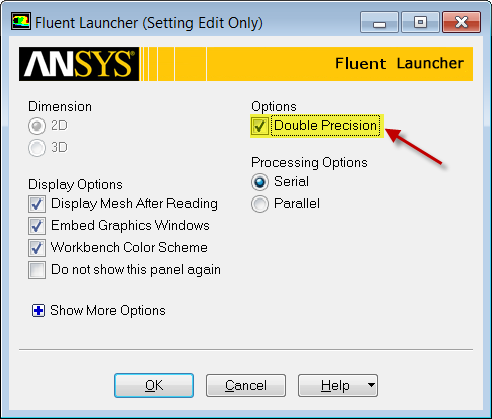
When the FLUENT Launcher appears change options to "Double Precision", and then click OK as shown below.The Double Precision option is used to select the double-precision solver. In the double-precision solver, each floating point number is represented using 64 bits in contrast to the single-precision solver which uses 32 bits. The extra bits increase not only the precision, but also the range of magnitudes that can be represented. The downside of using double precision is that it requires more memory.
...