Sign-up for free online course on ANSYS simulations!
...
In the Boundary Conditions window, select farfield. Use the drop-down menu to change the Type to pressure-far-field. You will be asked to confirm the change, and do so by pressing OK. Next, a dialogue box will open with some parameters we need to specify. Change the Gauge Pressure (Pascal) to 101325, and Mach Number to 3.
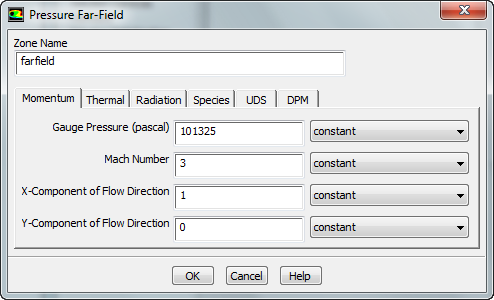
Also, select the Thermal tab, and ensure that the temperature correctly defaulted to 300 K. When you are finished, press OK.
...
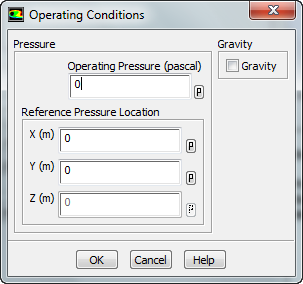
In the Boundary Conditions window, select the Operating Conditions button. Change the Gauge Pressure to 0. Then press OK
Reference Values
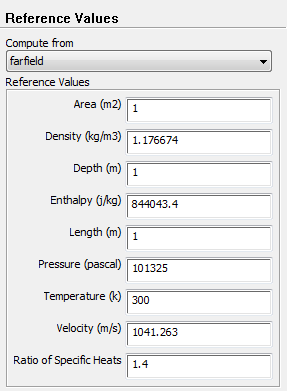
In the Outline window, select Reference Values. Change the Compute From parameter to farfield. Check that the values are accurate. The reference values are used when calculating the non-dimensional results such as the drag coefficient.