 Sign-up for free online course on ANSYS simulations!
...
| Info | ||
|---|---|---|
| ||
We will use CFD-Post as the primary post processing GUI. Steps for post processing in FLUENT can be found here. |
Tip
For convenience, you can import quantities from FLUENT into CFD-Post. From FLUENT, click on File > Data File Quantities:
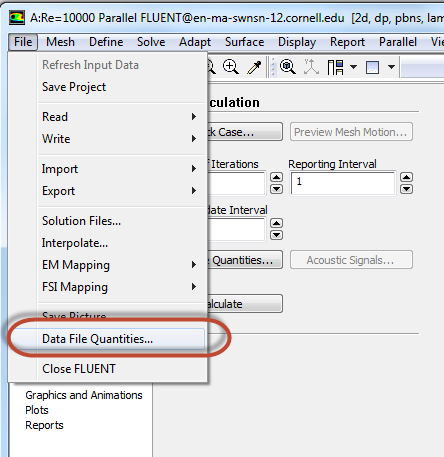 |^data file.png]
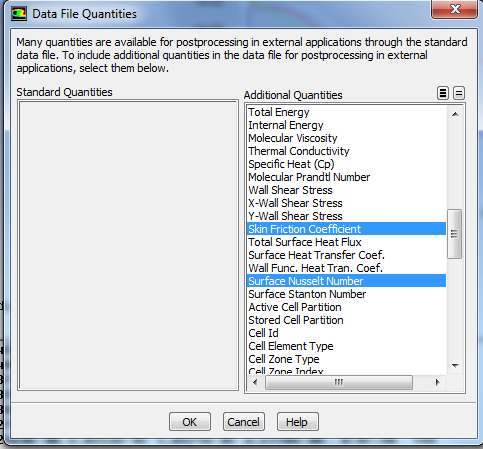
In Data File Quantities dialogue, select the desired quantities and click on OK.
| Info | ||
|---|---|---|
| ||
Students in MAE 6510 will need to select the Nusselt number in addition to the skin friction coefficient for your HW assignment. |
Step 6. Results
Double click on Results from the Workbench Window to launch CFD-Post.
...