*** This version of Confluence is for testing only and contains a copy of content from June 29th 2026. No changes will be preserved. ***

...
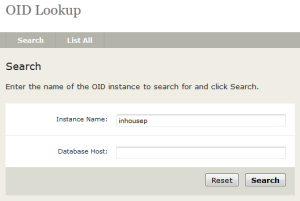
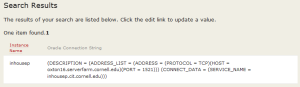
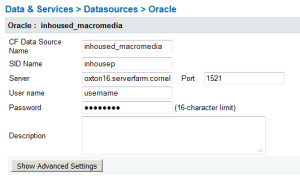
If you choose to use the built-in Oracle driver you will need to use the Oid Lookup tool to retrieve the servername of the backend database. Please note that if the backend database moves you will need to update your connection information!
3. Using Macromedia with JDBC connection string - to allow failover if your databases are in a RAC configuration
If you have your databases in a RAC setup with CIT DBA's and OID is not working for you, here is an example of a jdbc connection string to use. You'll need to use the above OID lookup tool to find the hostnames and service name.
jdbc:macromedia:oracle://host1-vip.serverfarm.cornell.edu:1521;SERVICENAME=mydb11g.cit.cornell.edu;sendStringParametersAsUnicode=false;MaxPooledStatements=1000;LOAD_BALANCE=true;AlternateServers=(host1-vip.serverfarm.cornell.edu,host2-vip.serverfarm.cornell.edu)
To enter the above, in CFAdmin, Create a new DSN and you'll need to choose "Other" in the DSN Driver. In the new window, enter your DSN name, the jdbc URL/connection string (however it looks from above), Driver Class should be "macromedia.jdbc.MacromediaDriver", Driver Name can be whatever you choose, and then the appropriate username and password to access.
