 Sign-up for free online course on ANSYS simulations!
...
This will compute the maximum and minimum gradients of static pressure. Next, we need to pick a threshold. In order to do this, click on Contours.... This will open the familiar Contours window. In the Contours window, select Contours of Adaption... Existing Value, then press Compute. This will populate the Contours menu with the values were were viewing for adaption, in this case, gradient of the static pressure. Also, make sure to uncheck Node Values.
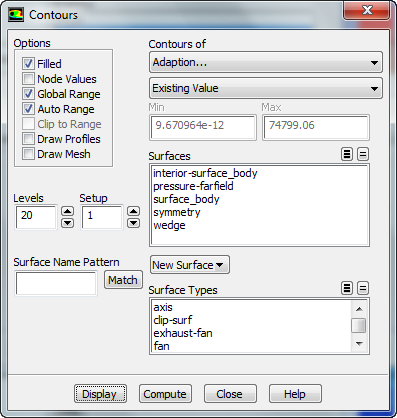
Finally, press Display
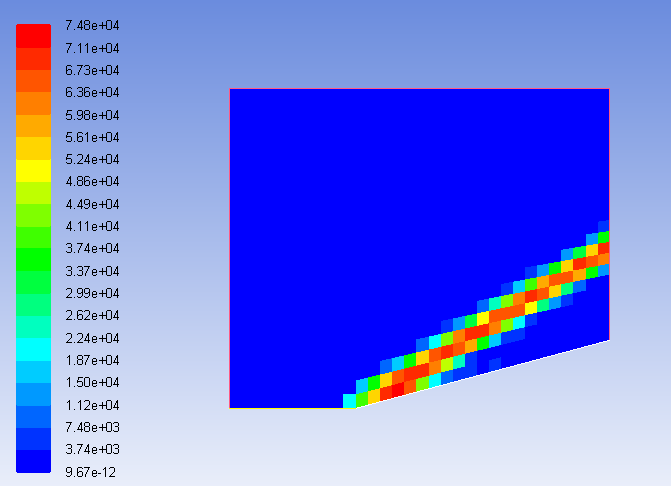
For every element that has a pressure above that threshold, that element will be refined. Let's make our threshold 10000. Enter 10000 into Refine Threshold. Then press Adapt. You will be asked if you want to change the mesh. Press Yes.
...