 Sign-up for free online course on ANSYS simulations!
...
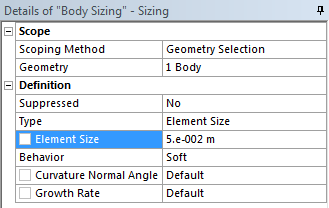
Next, select the surface in the graphics window. In the Details window, select Geometry > Apply. Now, we want to change the element size. In the Details Window, select Element Size > Default and change the value to 0.05 m.
Generate the Mesh
Now, we are ready to generate the mesh. Generate the mesh by clicking  in the menu bar or by going to Mesh > Generate Mesh