 Sign-up for free online course on ANSYS simulations!
...
Now, highlight aluminum in the material properties window and select Create/Edit.... We are not using aluminum in this simulation, so we need to change the name and the properties to reflect copper. In the popup window, change the Name to Copper, and the Chemical Formula to Cu. Also, change the material properties to the values shown in the chart above.
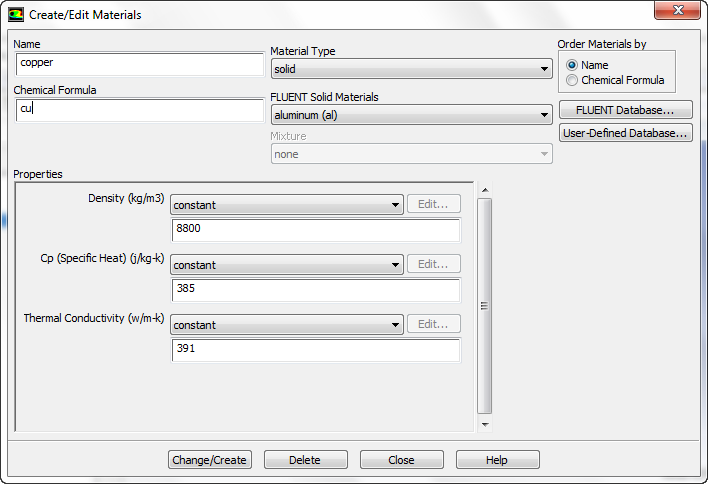
Now, press Change/Create. You will be asked if you want to overwrite aluminum, press Yes. You may now close the popup window.
...