| Include Page |
|---|
| SIMULATION: ANSYS 12 - Plane Frame - Panel |
|---|
| SIMULATION: ANSYS 12 - Plane Frame - Panel |
|---|
|
| Include Page |
|---|
| SIMULATION: ANSYS Google Analytics |
|---|
| SIMULATION: ANSYS Google Analytics |
|---|
|
2. Geometry
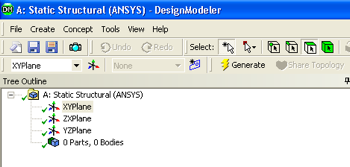
Double-click on the geometry button,  , in the Project Schematic area, which should launch the Design Modeler in ANSYS. Choose meter as the desired length unit. A folder called "A: Static Structural (ANSYS)" should be expanded in the tree outline of the Design Modeler. If it is not expanded, then expand it now.
...
 Sign-up for free online course on ANSYS simulations!