Sign-up for free online course on ANSYS simulations!
...
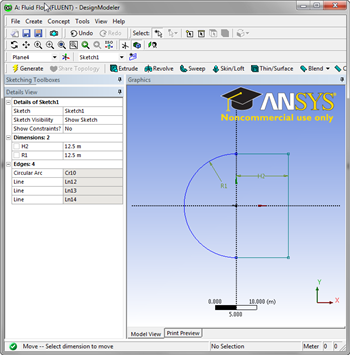
Now, we need to get rid of necessary lines created by the rectangle. Select Modify in the Sketching Toolboxes window, then select  . Click the lines of the rectangle the are collinear with the positive and negative vertical axises. Now, select the Dimensions toolbox to dimension the C-Mesh. Click
  , followed by the arc to dimension the arc. Assign the arc a value of
 12.5. Next, select  . Click the vertical axis and the vertical portion of the rectangle in the right half plane. Also assign the horizontal dimension a value of
 12.5.