 Sign-up for free online course on ANSYS simulations!
...
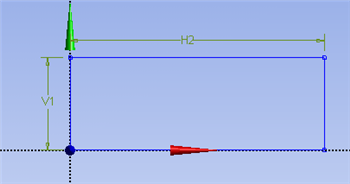
At this point the rectangle will be properly dimensioned. Under Sketching Toolboxes, select Dimensions tab, use the default dimensioning tools. Dimension the geometry as shown in the following image.
| newwindow | ||||
|---|---|---|---|---|
| ||||
https://confluence.cornell.edu/download/attachments/90737913/DimRect_Full.png |
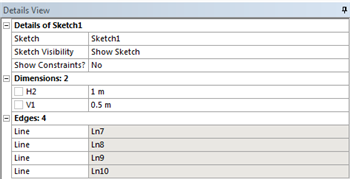
Under the Details View table (located in the lower left corner), set V1=0.5m and set H2=1m, as shown in the image below.
| newwindow | ||||
|---|---|---|---|---|
| ||||
https://confluence.cornell.edu/download/attachments/90737913/RectDims_Full.png |
...