 Sign-up for free online course on ANSYS simulations!
...
Create the vertex at the lower-left corner of the rectangle:
Next to x:, enter value 0. Next to y:, enter value 0. Next to z:, enter value 0 (these values should be defaults). Click Apply.
...
Find your working directory and save your GAMBIT file there. Make sure to enter the file name, plate.dbs, in the Selection box in addition to the path.
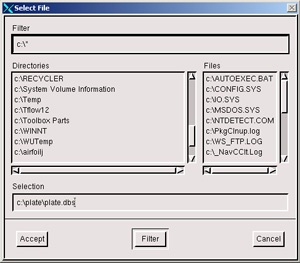 (click picture for larger image)
| newwindow | ||||
|---|---|---|---|---|
| ||||
https://confluence.cornell.edu/download/attachments/90745488/01save_as2.jpg?version=2 |
Go to Step 2: Mesh Geometry in GAMBIT
...